Being a Google Pixel user is hard, especially when you spend most of your time around tech enthusiasts raving about Samsung Galaxy phones. You see, Pixels offer a close-to-stock Android experience, while Samsung’s Galaxy phones are packed with features that naturally appeal to enthusiasts. And while I do love me some minimalism, I also like having access to powerful features that make my life easier.
So, after my friends and colleagues kept nudging me to make the switch, I finally decided to trade in my Pixel 6a for a Galaxy S24. And since the Pixel offers a closer-to-stock Android experience, I expected the Galaxy to have all the features on my Pixel, plus a few extra bells and whistles. Instead, I discovered that many of the basic features I relied on daily — which I’d falsely assumed were standard Android features — were actually Pixel-exclusive and missing from the Galaxy altogether.
There’s no context-aware voice typing
The feature I never thought about until it was gone

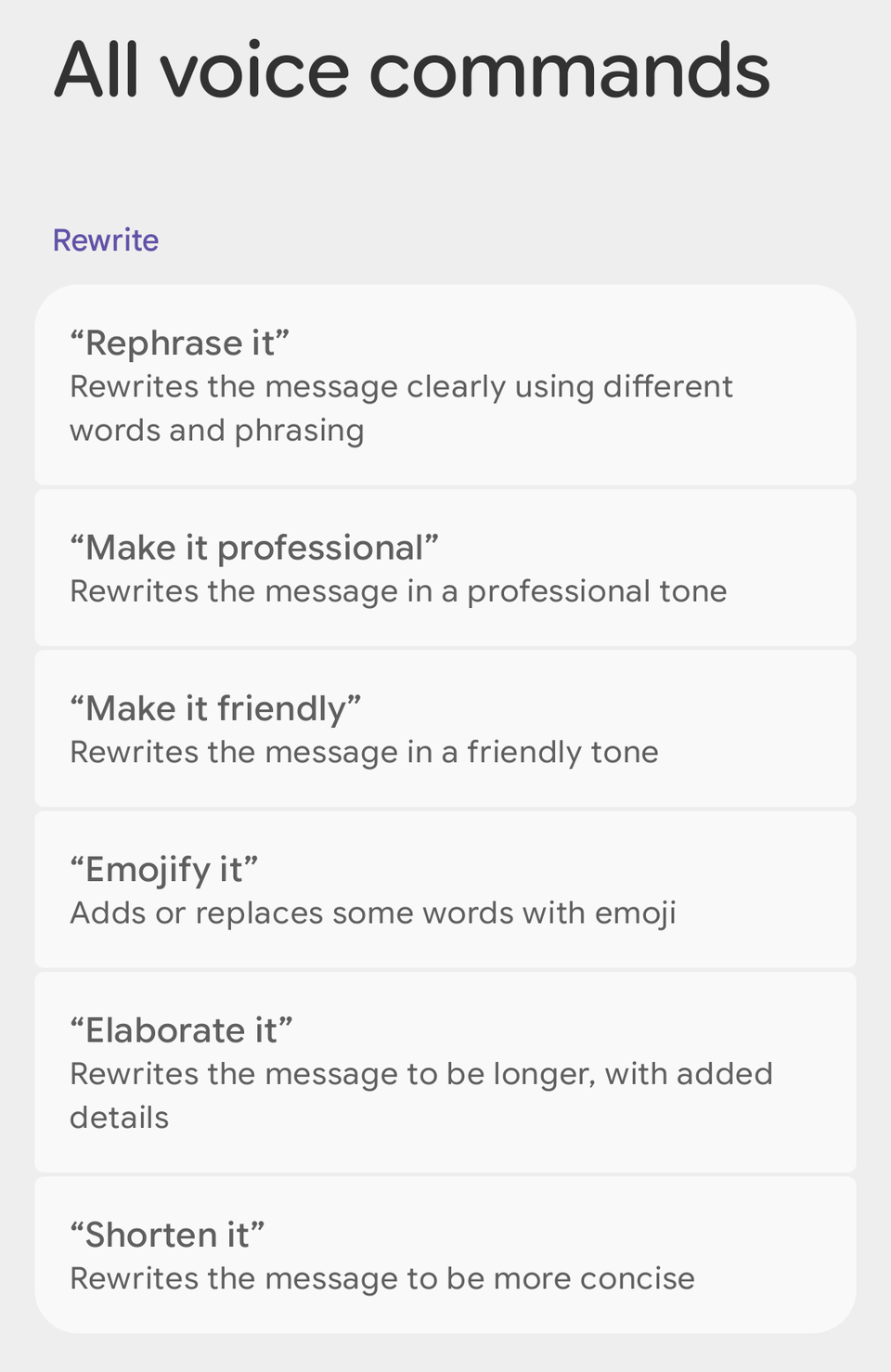
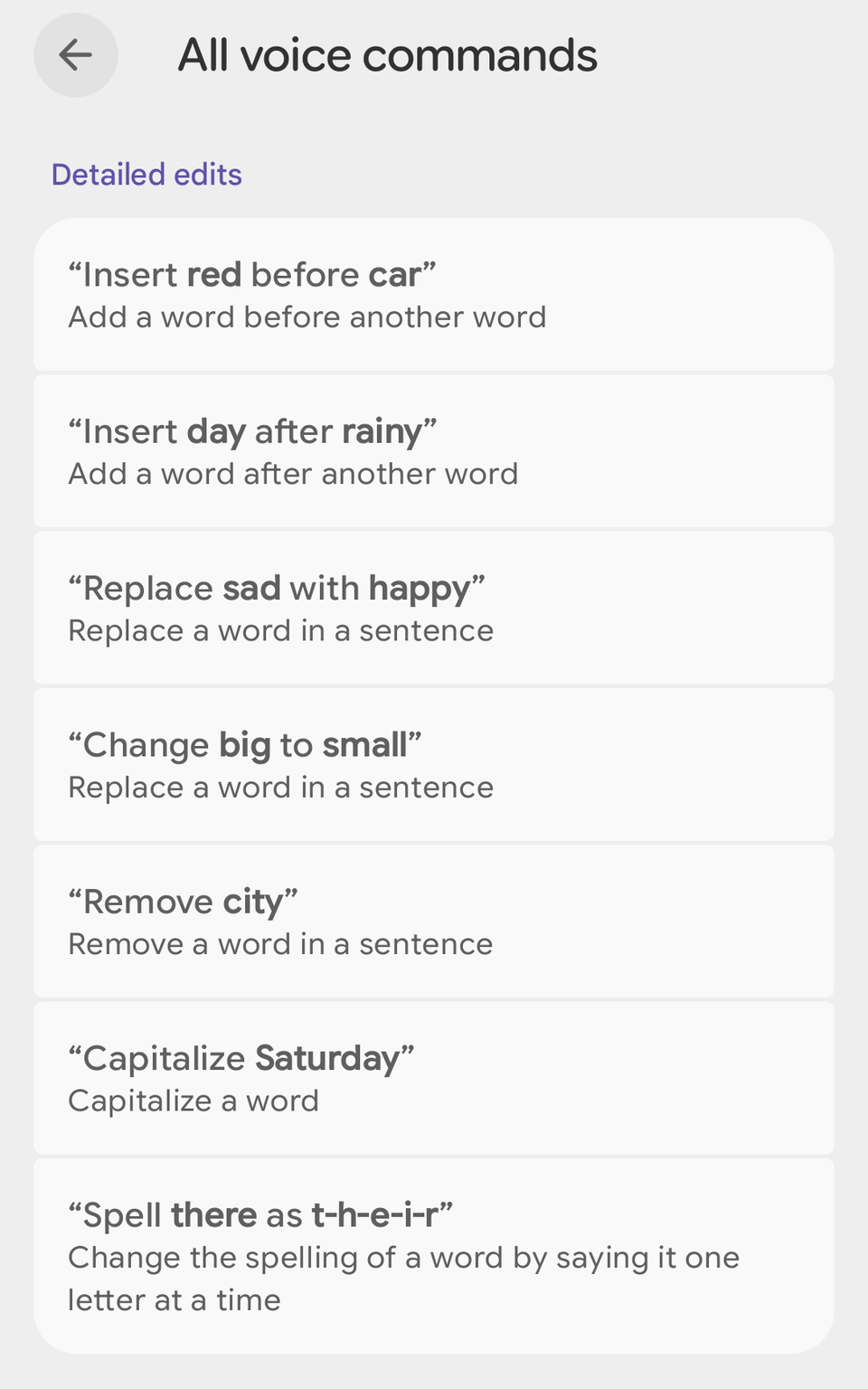
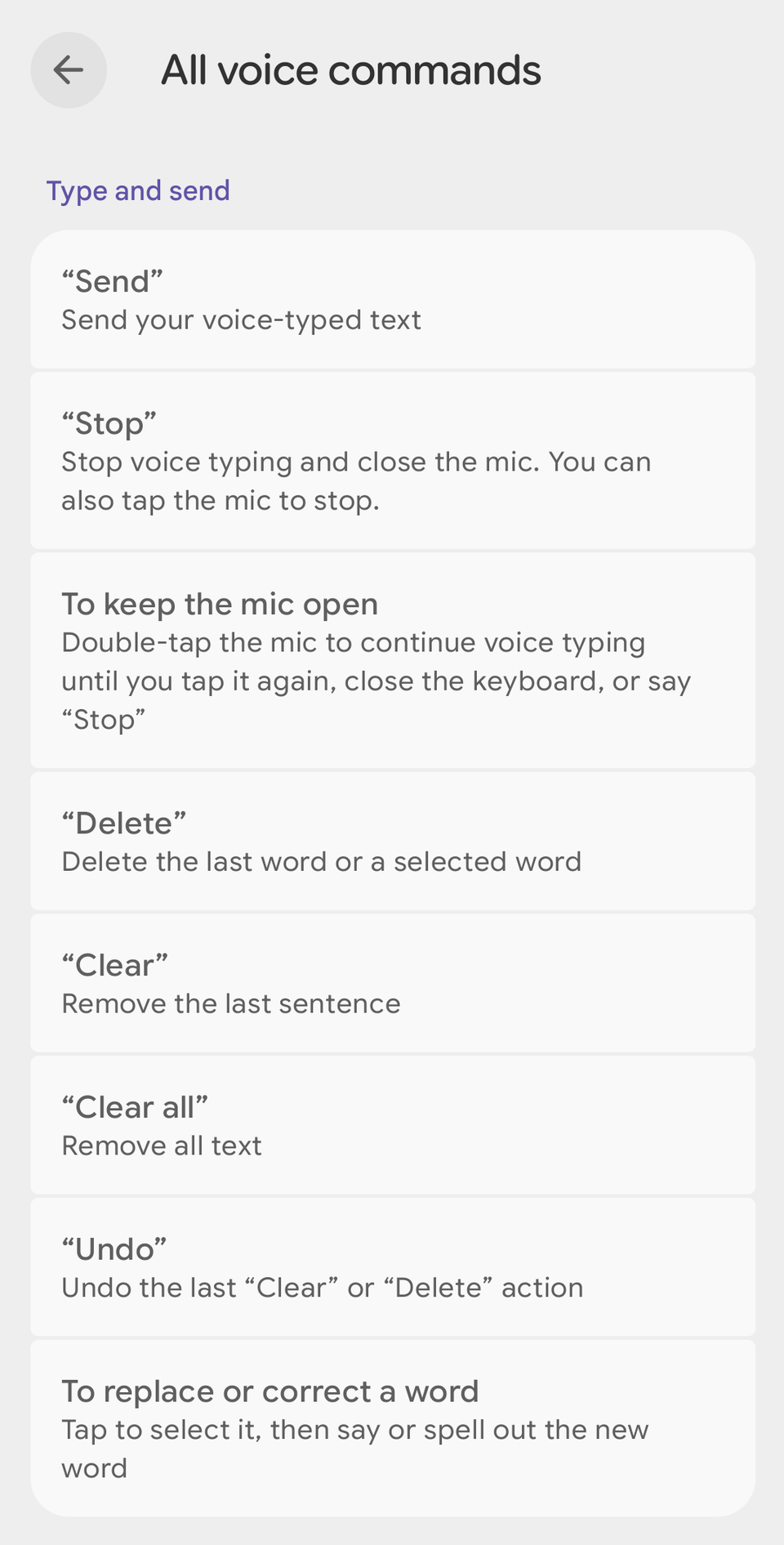
I’m one of those people who absolutely hates typing on a virtual keyboard. Fortunately, Gboard on the Pixel offers one of the best voice typing experiences, which is what I use when I need to send a message or quickly jot down a fleeting thought. It’s fast, it’s accurate, and most importantly, it lets me edit what I’ve written using voice commands.
For example, in the middle of a ramble, I can tell it to delete the last sentence or remove a word and replace it with another, and it intelligently recognizes the instruction as a command and executes it. It’s very intuitive and makes voice typing so much more convenient.
Now, I wasn’t expecting the same voice typing experience from the Samsung Keyboard. But I figured I could simply replace the Samsung Keyboard with Gboard and get the same experience. Boy, was I mistaken. The voice editing feature is completely absent from Gboard on the Galaxy. And while you do get voice typing, for some strange reason, I found it to be less accurate than it was on my Google Pixel 6a.
Google also has a newer Pixel-exclusive voice typing feature called Rambler. It uses Gemini to turn your rambling into clean, polished text. I haven’t tried it myself, and it’s currently exclusive to the Pixel 11. However, it’s another reason voice typing is just better on a Pixel.
I also missed the AI call features
The phone app was the last place I expected to feel the switch

I still don’t know how I feel about AI infiltrating every corner of our lives, but I absolutely love Google’s implementation of AI-powered calling features. Here are a few of my favorites:
- Call Screen: It answers calls from unknown numbers for you, transcribes what the caller says in real time, and tells you why they’re calling so you can decide whether to pick up.
- Hold for Me: It lets you put your phone down while you’re on hold and alerts you when someone comes back on the line, so you can pick up the phone again.
- Direct My Call: It transcribes automated phone menus so you can read your options instead of having to painfully listen to the slow narration.
- Scam Detection: It runs in the background during calls, locally processing what the other person is saying, and warns you if a conversation matches common scam patterns.
Now, I had seen a friend use something similar to Call Screen called Bixby Text Call on their Galaxy phone. So I figured these features should be available on Samsung devices as well. I mean, these features feel basic enough that they should be standard on all Android flagships. However, apart from Bixby Text Call, none of the above features are available on my Galaxy S24.
Google’s Scam Detection has come to Samsung phones, but at the time of writing, it’s available only on the Galaxy S26 series in the US. As such, it doesn’t help me on my S24.
But the Galaxy has useful exclusive features too
To be fair, Samsung also has tricks Google can’t match
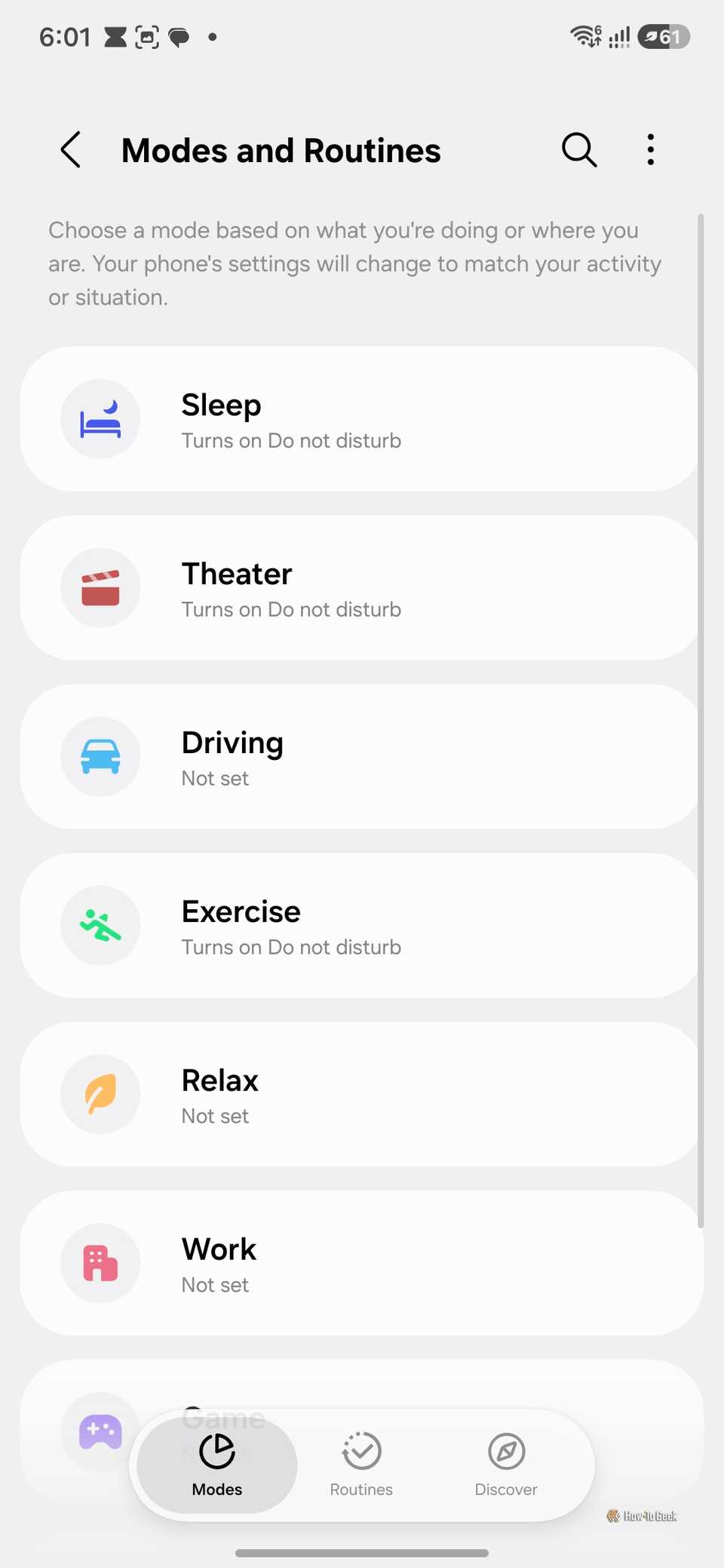
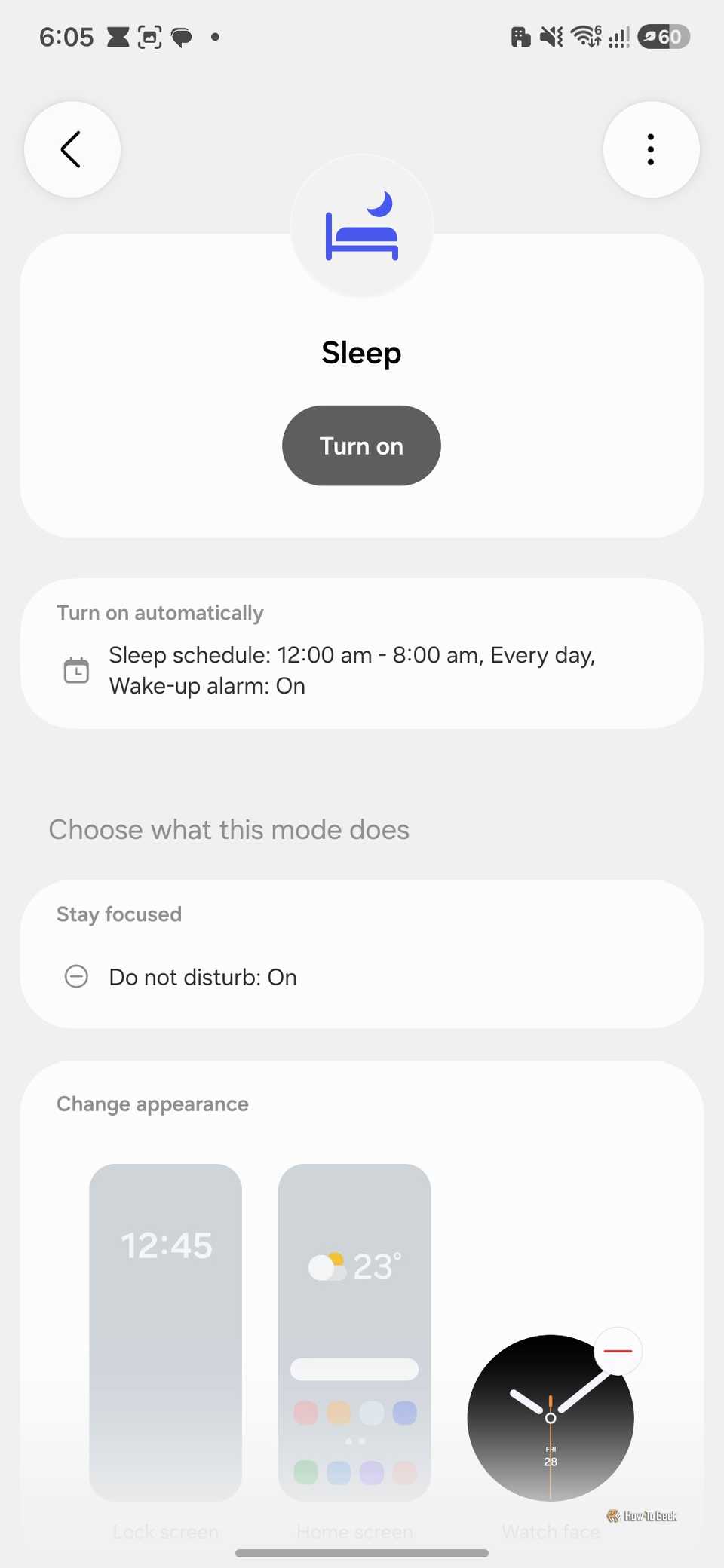
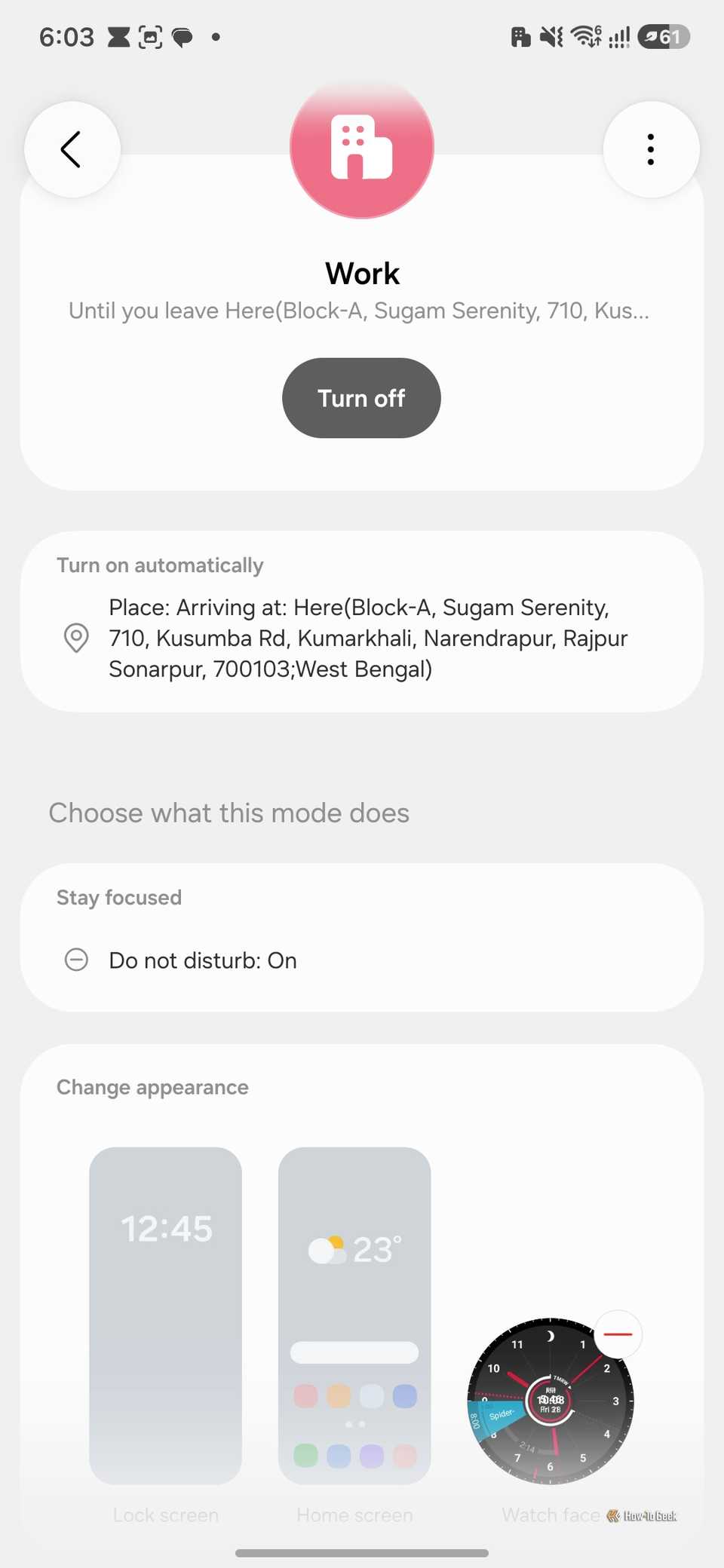
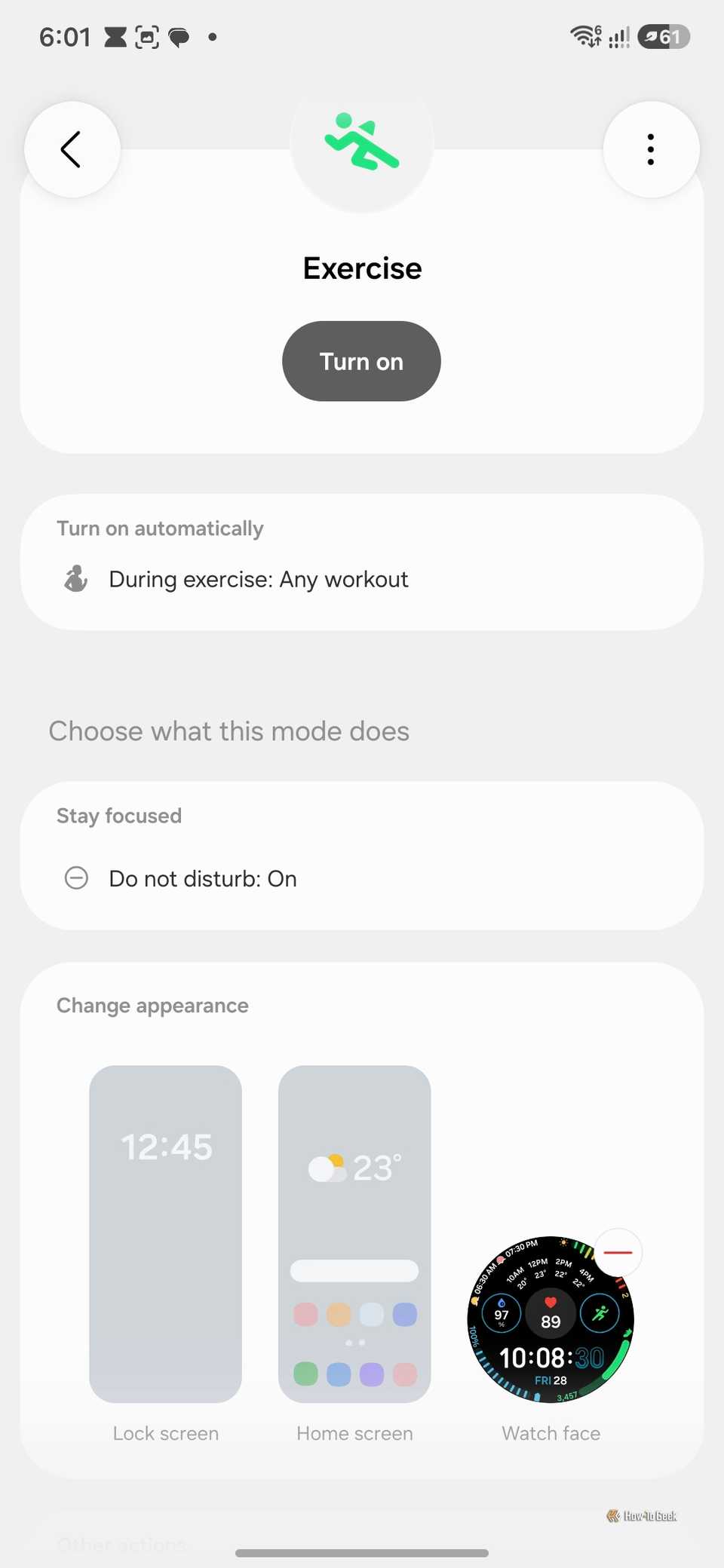
I’ve been bashing the Galaxy for a bit now, but it also has some great features that the Pixel doesn’t. In fact, the one feature that actually sold me on trading in my Pixel was Modes and Routines. It’s a system-wide automation feature that changes your notification settings, wallpaper, and widgets based on different triggers, such as your location or the time of day.
For example, when I’m at work, my phone automatically switches to vibrate only, and my wallpaper switches to something motivational. Whereas when I visit my parents’ place, the wallpaper switches to a family picture, reminding me that I should probably put my phone away for a while. It’s really powerful, and it’s a shame the Pixel doesn’t have anything quite like it. For a phone that’s marketed as AI-first, you’d expect this kind of personalization, but the Pixel’s automation features are lackluster in comparison.
And that’s just the start. There’s also Good Lock, Samsung’s main customization app, a rabbit hole of its own that unlocks dozens of ways to tweak and personalize your phone.
Feature exclusivity has become the bane of my existence
I can understand why an Android device might not have features available on an iPhone, but the fact that two Android devices can have different feature sets just because they come from different manufacturers is just wrong. But alas, that’s the world we live in. And it’s a bummer because Google Pixels absolutely nails the basics, offering quality-of-life features you’d expect from any device. But they fall a bit short if you want to get more out of your phone, which is where the Samsung Galaxy phones excel.
Ideally, I’d want a Pixel with some Galaxy features added on top. But since that’s not going to happen, I decided to get a new Pixel 10, which I now use as my daily driver, and relegate the S24 to a secondary phone.