Windows is hands down the most popular desktop operating system in the world, and while Linux is far from Windows’ mainstream appeal, most of the world’s servers run on Linux. Both systems have a rich history, and they both draw a lot of inspiration from operating systems of yore, which laid some of the most important cornerstones both Windows and Linux are standing on.
Multics (1969)
The Unix ancestor no one talks about
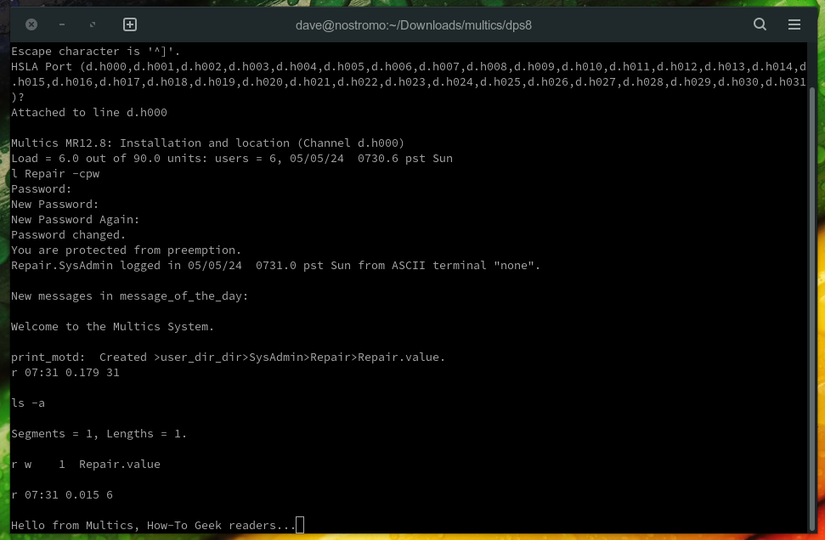
Multics was a pretty major project for its time, with MIT, General Electric, and Bell Labs joining forces to develop it. The OS was imagined as a sort of utility that many people could use at once, and it first saw the light of day at MIT in 1969.
Multics is important for both Linux and Windows. Without Multics, we might never have had Unix, which was a major inspiration for Linux. After Bell Labs pulled out of the project in 1969 due to the sheer bloat of the system and its constant delays, some of its engineers started working on Unix, which was meant to be a smaller, simpler version of Multics, and was jokingly named Unics since it was designed to be used by a single user at a time, which later morphed into Unix.
Unix and later Linux, inherited some of Multics’ features, such as the single directory tree, a kernel that’s protected from regular apps, and the shell. As for Windows, NTFS (New Technology File System) permissions, which date back to the early days of Windows NT, are based on access control lists, an idea pioneered by Multics. The x86 CPUs that most Windows PCs run on have four hardware protection rings, and Windows runs its kernel in the innermost one. That’s another idea that dates all the way back to Multics.
Unix (1969)
This is where things get interesting
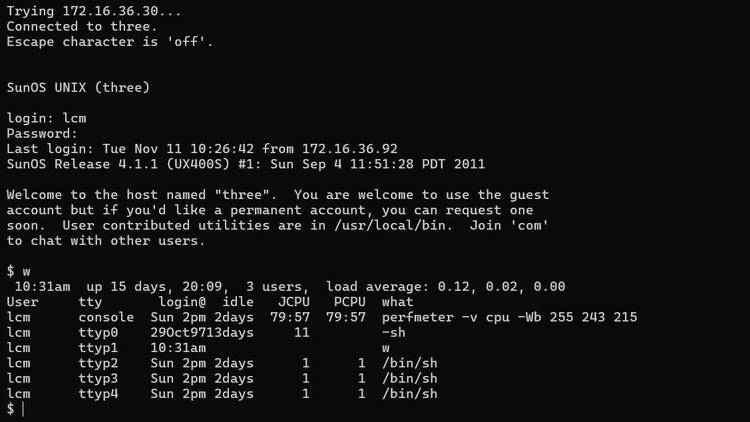

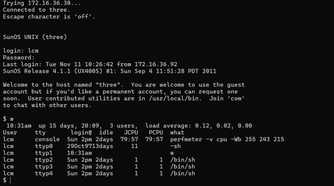





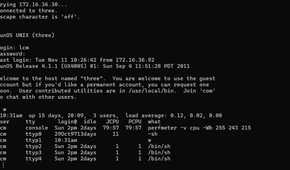


Ken Thompson and Dennis Ritchie, who both worked on Multics, created Unix as a side project. They envisioned it as Multics, but without the bloat, and the result was an elegant OS that would go on to become one of the most important operating systems in history, and arguably the most influential. Most of the major operating systems we use today, such as Linux, Android, macOS, and iOS, have strong ties to Unix in one way or another.
Unix also introduced the “everything is a file” idea and the Unix philosophy of creating many small, specialized programs that can work together to achieve larger goals. And thanks to it being widespread in universities around the world, Unix inspired a whole generation of computer scientists.
Linux is, for all intents and purposes, a clone of Unix. Linus Torvalds’ goal was to build a kernel from scratch that would behave like Unix, and he succeeded and then some. Combine it with the free versions of Unix tools developed by the GNU project, and you get Linux, one heck of a versatile Unix-like system. Some of the most popular Linux commands, such as ls, cd, cat, and grep, all come from Unix.
As for Windows, Microsoft actually licensed Unix and created its own version, Xenix. The company’s work on Xenix made its way into MS-DOS, which borrowed some Unix ideas such as hierarchical directories. In modern times, Windows Subsystem for Linux (WSL) lets Windows users run Linux distros and software right inside Windows.
Xerox Alto (1973)
A computer that pioneered the graphical user interface
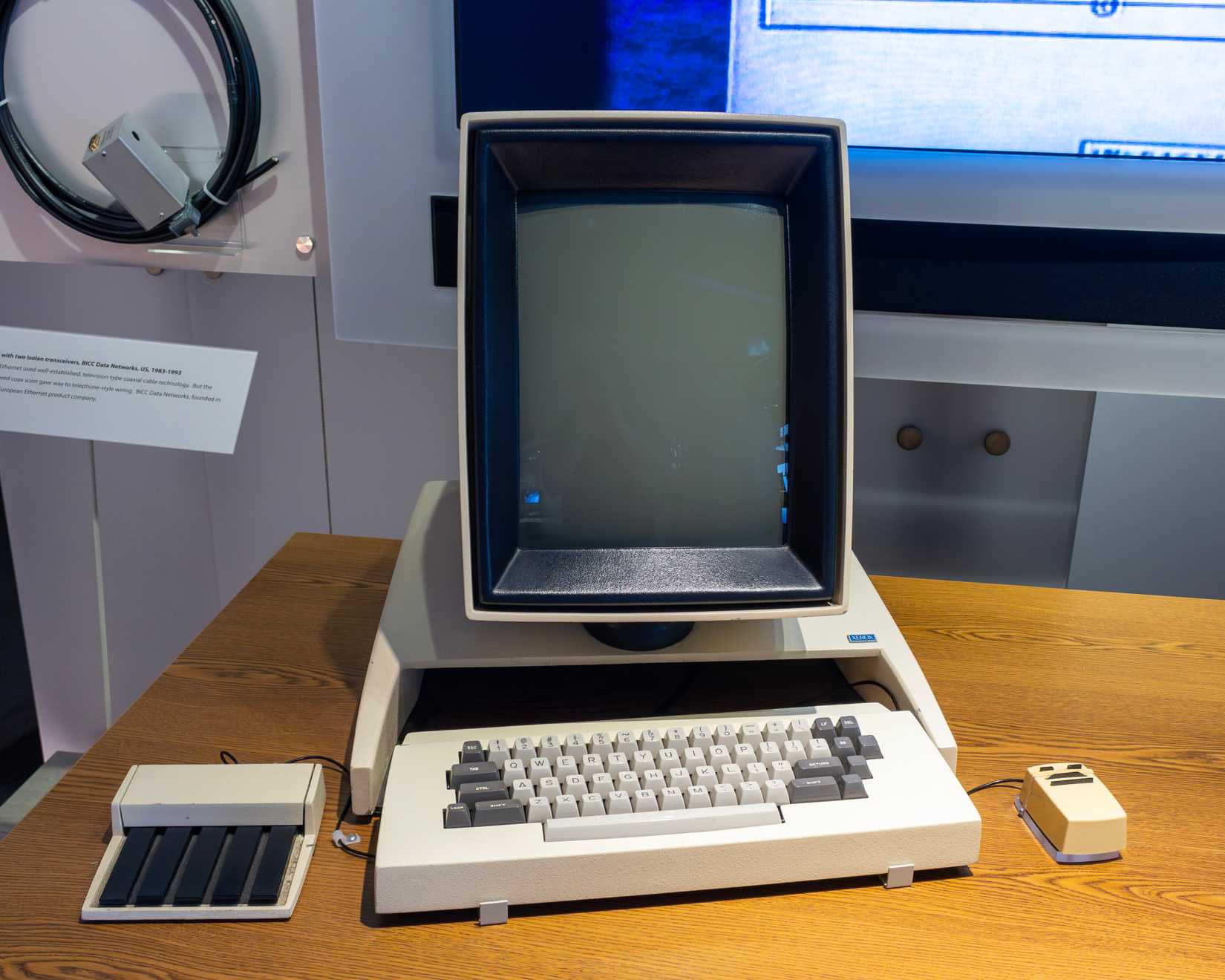 Credit: The wub/Wikimedia Commons
Now, the Xerox Alto was a computer rather than just an operating system, but its software and hardware were a massive influence on Windows and Linux, as well as macOS. The Alto pioneered the graphical user interface at a time when every other operating system was basically a command prompt. Its software used overlapping windows and pop-up menus, and the computer itself featured a high-res (for the time, of course) bitmapped screen in portrait orientation. It was controlled with a keyboard and a three-button mouse, a basic combo every modern PC and Mac still uses.
Steve Jobs visited Xerox’s research center in Palo Alto (the Alto was never commercially available), and after he saw the computer in action, he realized this was the future of computing. He used (some would say stole) the Alto’s best ideas to develop the Apple Lisa and its OS, and later the Macintosh, which brought the GUI to the mainstream.
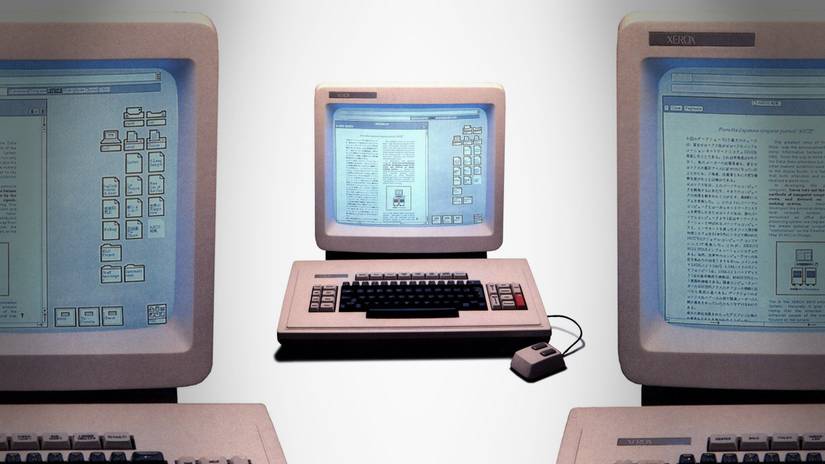 Credit: Xerox
Microsoft made apps for the first Macintosh before the computer hit the shelves, so it got an early look at Apple’s GUI, and the first version of Windows borrowed a lot of the same ideas. Jobs accused Gates of ripping Apple off, but Gates had a perfect retort. He said to Jobs, “Well, Steve, I think there’s more than one way of looking at it. I think it’s more like we both had this rich neighbor named Xerox and I broke into his house to steal the TV set and found out that you had already stolen it.”
As for Linux, well, while Linux fans love the command line, most Linux distros come with a GUI built around windows, icons, and menus, using desktop environments such as KDE Plasma and GNOME.
CP/M (1974)
The OS that gave Windows its drive letters
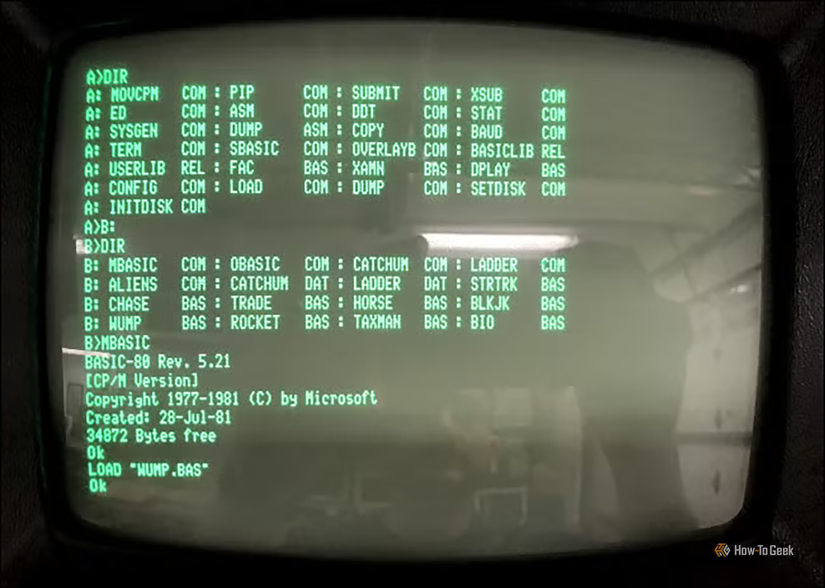
CP/M (Control Program for Microcomputers, what a creative name) was written in 1974 by one man, Gary Kildall, for the legendary Intel 8080 CPU, arguably the most important CPU in history. The OS was a major player at the time and the first truly popular OS for desktop computers. CP/M also introduced elements Windows still relies on.
For instance, the term BIOS was coined by Kildall. CP/M also popularized drive letters, which are a staple on Windows, but not on Linux, which doesn’t use drive letters. Three-character extensions also became common thanks to CP/M, and the reason why Windows won’t allow you to create files named CON, PRN, AUX, or NUL dates all the way back to DOS, which used CP/M’s way of treating devices, such as the console (CON), as special names you couldn’t use for regular files. The Windows command prompt also has its roots in CP/M.
CP/M was also important because software written for the OS could run on different machines with different hardware. All a computer maker had to do was adapt the BIOS, and they were golden. This resulted in an explosion of commercial programs, such as WordStar, that worked on all kinds of hardware. You could, for instance, use CP/M programs on the Apple II using the Microsoft SoftCard, an add-on card that became one of Microsoft’s earliest hardware blockbusters.
CP/M was IBM’s first pick for its first PC, but due to a confluence of events, the company ultimately went with Microsoft. The catch is that Microsoft didn’t actually have an OS ready, so Gates and the gang bought 86-DOS, which was intentionally designed to behave like CP/M so popular CP/M software would be easy to port. 86-DOS became PC DOS for IBM PCs and MS-DOS for other PCs. In other words, MS-DOS, and by extension Windows, have lots of similarities with CP/M.
VMS (1977)
The OS that, in some ways, inspired Windows NT
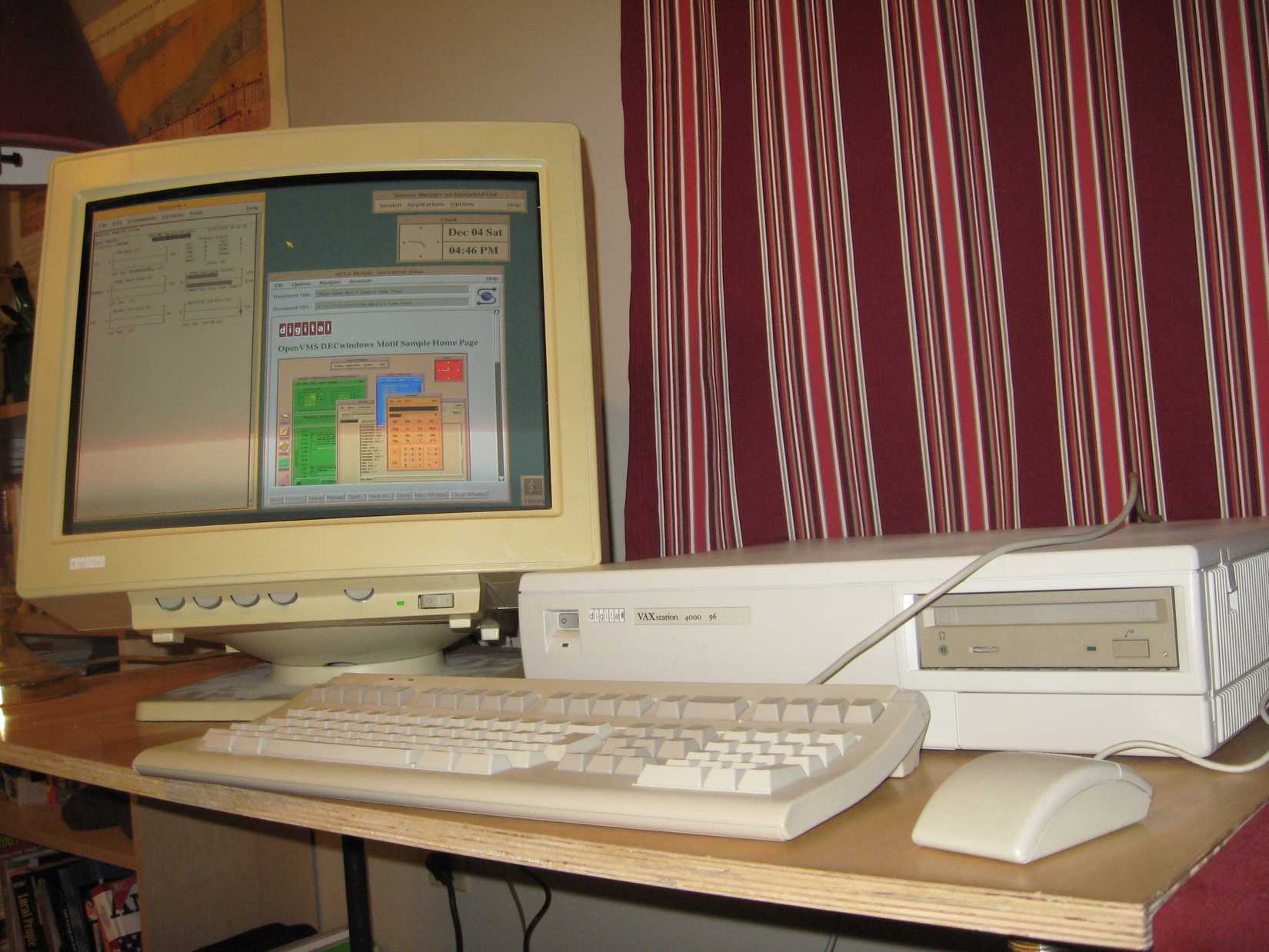 Credit: Brian Pitts/Wikimedia Commons
VMS, or Virtual Memory System (also known as OpenVMS), was developed in the 1970s by Digital Equipment Corporation (DEC). The operating system never became a household name, but it had many great qualities. It was extremely reliable since it was created for businesses and the government, where reliability is king. It also had robust security and superb virtual memory management, which you could guess from the name.
One of its lead architects was Dave Cutler, who left DEC after the company canceled the next-generation OS project he was leading. Microsoft hired Cutler, and he ended up leading the development of Windows NT, which was to be a brand-new OS that didn’t depend on DOS. Cutler and his team, which included a number of engineers who followed him from DEC, did a stellar job, and Windows NT was released in 1993.
While Cutler didn’t use VMS code when building Windows NT, the two systems were similar under the hood. Many internal mechanisms in Windows NT, such as virtual memory management and device I/O handling, were reminiscent of the way they worked in VMS. DEC even considered suing Microsoft, but the two companies settled after Microsoft paid a lofty sum to DEC (reportedly as much as $105 million) and promised that Windows NT would continue to support DEC’s Alpha CPUs.
Since modern Windows is still built on the NT kernel, today’s Windows operating systems still carry a lot of VMS DNA under the hood. Windows would likely be quite different from what we’ve got today if Cutler hadn’t ended up at Microsoft.
MINIX (1987)
The OS Linux was built on, and that might be running on your PC right now
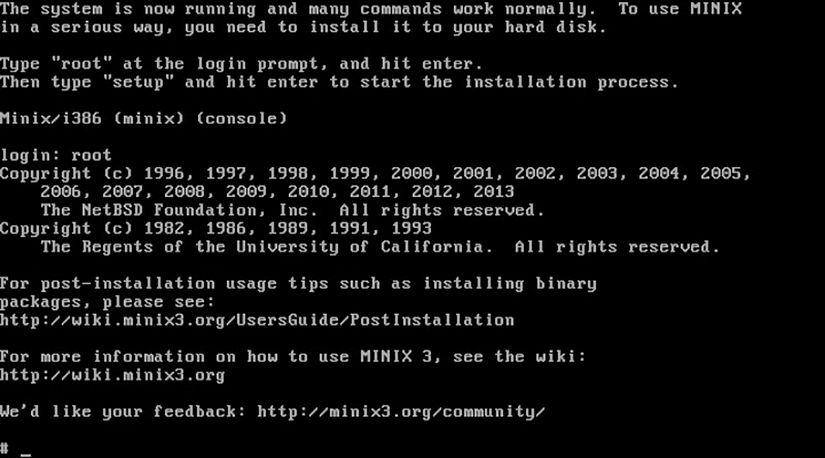
MINIX was a Unix-like operating system developed by Andrew S. Tanenbaum, a professor at a Dutch university. He imagined MINIX as a learning tool and provided the full source code with his computer science textbook. He decided to create MINIX because AT&T, which held the rights to Unix, limited Unix licensing and forbade using Unix’s source code in classes.
MINIX was small and simple, with a microkernel design, so students could study its source code more easily, and it could run on the cheap PCs of the time. In 1991, Linus Torvalds got himself a 386 PC and installed MINIX on it. He liked the basic idea, but he found MINIX too limited, so he started working on a terminal emulator that grew in size and complexity and ultimately became the Linux kernel.
Because MINIX carried restrictive licensing at the time that limited free redistribution, Linus decided to release Linux under an open-source license, allowing anyone to use, modify, and redistribute the code freely. This is probably the main reason why Linux grew in popularity so fast and so much, and definitely the main reason why there are so many Linux distros around.
What’s interesting is that if you own a PC powered by an Intel CPU, you probably have MINIX running on it as you’re reading this. Intel’s Management Engine, a teeny tiny processor built into Intel chipsets, has been running MINIX 3 since the mid-2010s. So you might be running MINIX no matter your main OS, as long as you’ve got an Intel CPU released in the past decade.
Windows and Linux were inspired by a wide range of operating systems
While Linux is, first and foremost, a Unix-like OS, it still uses elements found in a number of classic operating systems, like the GUI, a protected kernel, and a single directory tree. Windows is an amalgamation of ideas from many different operating systems as well, and neither would be what it is today if it weren’t for the classics that paved the way for two of the world’s most important operating systems.