Credit: Jordan Gloor / How-To Geek
One reason that Linux has struggled to gain desktop users is the perception that the Linux desktop is a mess. Apps look too different from each other, and command-line elitists rule the system. The way the Linux desktop is the way it is largely stems from Linux’s predecessor, Unix, and some design choices made in the ’60s, ’70s, and ’80s.
Unix was “by programmers, for programmers”
If you want something done right, do it yourself

The original Unix was clearly a labor of love for its original developers, Ken Thompson and Dennis Ritchie, at Bell Labs in the late 1960s.
Thompson and Ritchie had been part of the Multics project, an ambitious project from MIT, Bell Labs, and General Electric to develop a “computing utility” similar to modern cloud computing. What made Multics different from other computing efforts of the era was its focus on interactive computing when most computing was done in “batch mode,” with punched cards. The idea was to develop a computing service that would work reliably, similar to water or electricity service.
Several components that would become part of Unix and later Linux systems were developed on Multics, including replaceable shells and a hierarchical file system.
Unfortunately, the project became bogged down, and Bell Labs pulled out, although Honeywell would later commercialize it. Thompson and Ritchie still wanted to continue using the groundbreaking programming environment from Multics. A Digital PDP-7 was available to them, so they got to work developing a new system they called Unix.
The development of Unix established two traditions that continue today in Unix, making use of constrained hardware (the PDP-7 was the equivalent of an old laptop), as well as establishing Unix-like operating systems as “by programmers, for programmers.”
Modern Linux systems try to cater to nontechnical users with slick graphical interfaces, but they shine for technical tasks, such as programming, engineering, or data science.
On Unix, text was king
No GUI when graphics didn’t exist

One thing that persists on modern Linux that can put people off is its text orientation. While most desktop systems have a desktop environment by default, users do a lot of the deep work through the command line. This is also due to tradition.
The emphasis on text is due to the fact that graphical user interfaces didn’t exist back in the late 1960s and early 1970s. While punched cards were used with mainframes for user processes, minicomputers more often supported interactive work on the command line through teletypes. These were effectively typewriters that could receive remote connections, usually over dedicated lines but could also use the public phone system in a pinch.
They were slow, noisy, and used lots of paper. In the 1970s, video terminals became available. These were like modern PCs, with a screen and keyboard, but the actual computer was most often in another room or building. With a modem or leased line, the computer could be in another city. They were more economical than teletypes because they didn’t need paper.
They were still text-oriented, since that’s all most terminals could handle.
X set “mechanism, not policy”
“We’ll manage the display, but you’re on your own for the UI.”

In the early 1980s at MIT, developers of Project Athena needed a way to manage graphics on workstations from different manufacturers who had bid on the project to develop an educational distributed computing environment to support what we now call courseware. The two main companies participating in this project were Digital Equipment Corporation and IBM.
The X Window System was part of this ambitious project. As workstations were becoming more common in academic and technical computing, X was a standard for windowing systems that would work across different devices. Since different machines had different capabilities, this meant that the system had to make as few assumptions about their capabilities as possible. X would care mostly about painting the screen and handling the keyboard and mouse rather than about defining a user interface.
Jim Gettys, one of the principal developers, called this “mechanism, not policy” in a video lecture on X from 1991. Eric S. Raymond argues in his book, The Art of Unix Programming, that this approach characterizes Unix-like systems as a whole, not just X.
User interfaces were all over the place
When you can change the UI, it’s hard to pick just one


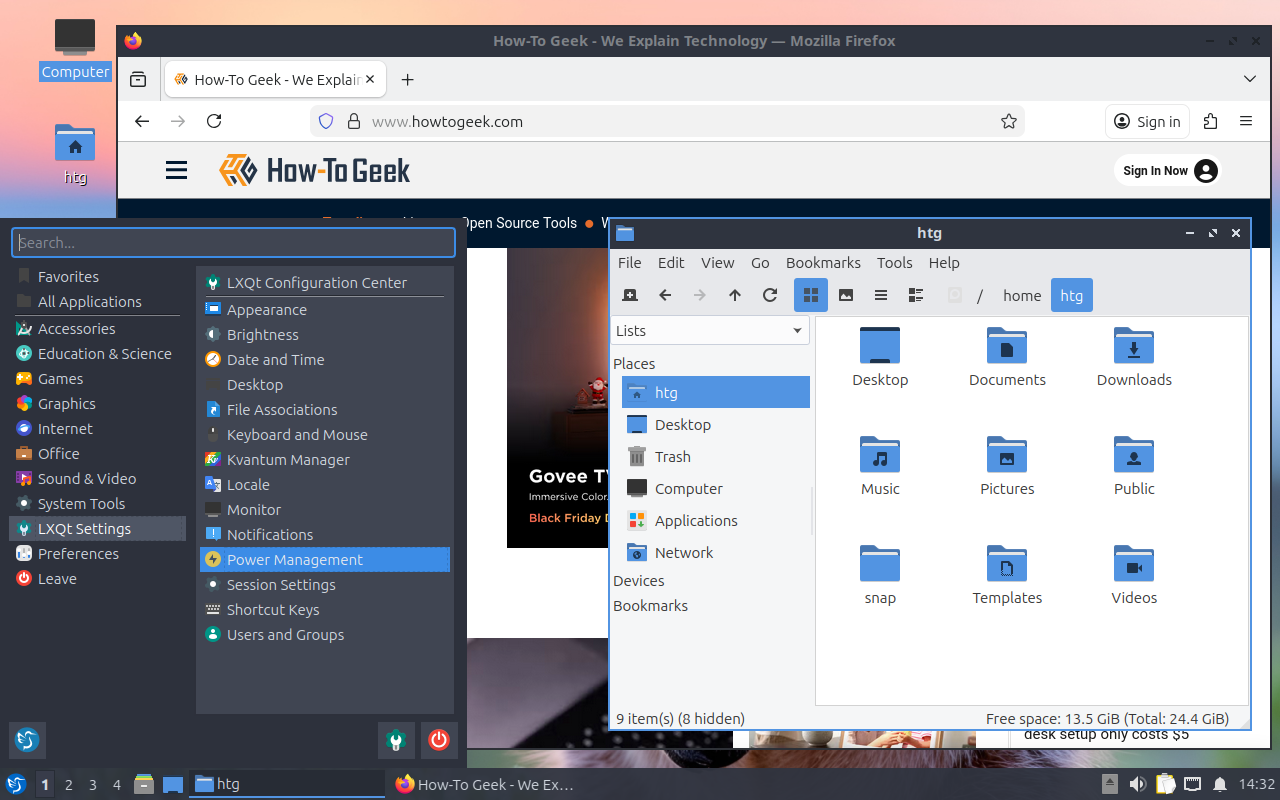


The consequence of separating mechanism from policy is that the developers of desktops, window managers, and applications for Linux have wildly different opinions on how things should work. While you might click in a window to raise it or make it active, it’s possible on Linux to set the window focus to follow the mouse pointer. This will make a window active only when the cursor is over it.
The desktops and window managers all have their own aesthetics. Window managers draw the borders around a window, and desktops and apps rely on toolkits to define the elements as well as the overall “look and feel.” If you’ve ever used an app designed with a different toolkit in mind, you’ll notice it immediately. That’s why the desktops usually ship with a set of programs similar to what you’d get with Windows or macOS to make using different apps less jarring.
The consequences in modern Linux
The consequences of design constraints that ceased to exist long ago, such as text terminals, continue to influence the design of Linux. There’s an emphasis on the command line that doesn’t exist in other systems, despite the wide availability of desktops. It’s hard to enforce a consistent design, which likely turns off nontechnical users. And the hardcore technical users like it this way.