
 Credit: Joe Fedewa / How-To Geek
Android Auto is certainly not new, but neither are a lot of the vehicles that people still drive. I’m one of those people—proud owner of a 2009 truck—and I still wanted the conveniences of a modern head unit. Thankfully, it was easier than I expected.
At first, I went down the rabbit hole of trying to find a compatible head unit for my truck. However, I am very much not a “car guy,” and I was a bit intimidated by what I found. There was no way to be sure the “compatible” head units would actually work with my old vehicle, and the wiring looked more complicated than I anticipated.
Thankfully, I found a much cheaper and easier option that’s been working great for me ever since.
Replacing a head unit is the cleanest solution
But it’s not a walk in the park
 Credit: Ismar Hrnjicevic / How-To Geek
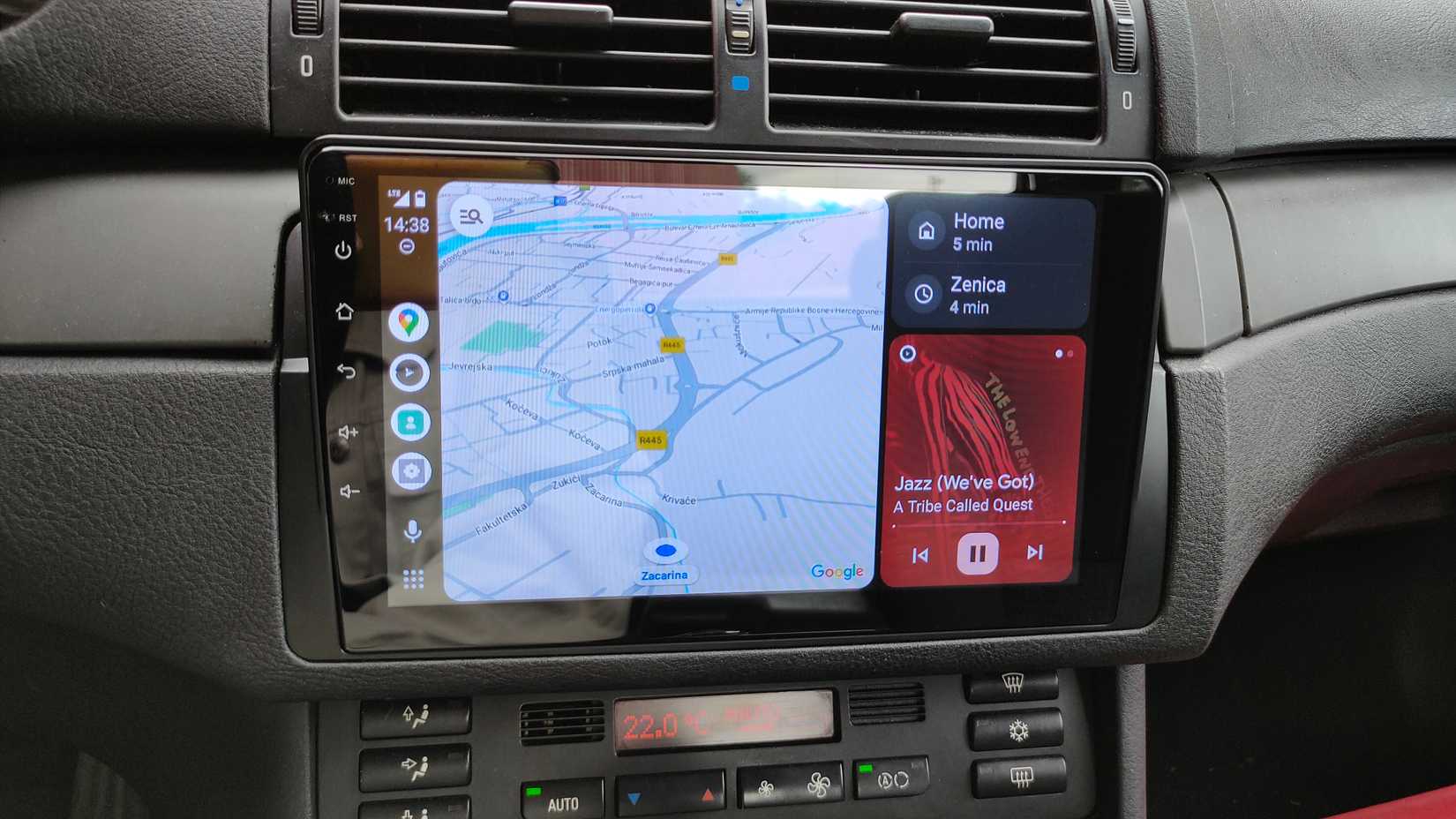
As I said, my first thought was to replace my truck’s barebones CD player/AM-FM radio head unit. This would allow me to have that clean “built-in” look, and everything would get power directly from the vehicle. No extraneous cables running around.
Now, I am a lifelong DIYer, but cars have never been my forte. I can build you a nightstand from a pile of lumber or model a vintage radio from scratch, but don’t ask me to do an oil change. I quickly realized replacing a head unit would be a bit out of my comfort zone.
That same reason was originally why I bought into Spotify’s weird “Car Thing” device. But after a little more than a year with it, I was itching for something more. With a full-on head unit out of question, I looked to see what else was out there.
Stop overpaying for car stereos: Budget Android Auto units now rival the expensive ones
Dealing with an older car’s infotainment system is incredibly frustrating. Whether it’s an ancient, basic stereo from the era of CDs or an early touchscreen setup, the lack of Android Auto severely limits what you can do with it. So, you’re probably thinking about upgrading to an aftermarket head unit, but you’ve heard mixed things about their quality and reliability. At the same time, you might not be able to justify spending hundreds of dollars on a brand-name Sony, Pioneer, or Kenwood unit. I had the same doubts, but after upgrading to a $100 Android model, it turned out to be one of the best decisions I’ve made all year.
Discovering “portable” Android Auto head units
I had no idea these existed
It turns out you don’t need to pull anything out of your old vehicle to get a modern head unit. Amazon is chock full of “portable” Android Auto screens that work exactly like the real thing. Because, well, they are the real thing—and cheap.
The Android Auto interface on my portable head unit is the same Android Auto interface that you would see in a built into a car. Since Android Auto is a projection from your phone, the screen isn’t all that important. The cool thing is that almost all of these devices support CarPlay along with Android Auto.
Think of it like the modern equivalent of putting a Garmin on your dashboard in the early 2000s. All you need is a way to connect the screen to power and your vehicle’s audio system. For me, that’s a simple USB car charger and a 3.5mm aux cable, but if your vehicle has built-in Bluetooth, you can skip the audio cable.
After the initial Android Auto pairing process, it’s just a matter of powering on the screen to launch the interface. Most modern vehicles cut power when the engine is off, so you can just leave the screen plugged in all the time. The exact model I purchased only cost $45, but there are much nicer models available now. Despite the sketchy name and questionable product photos, it’s served me well for nearly two years.
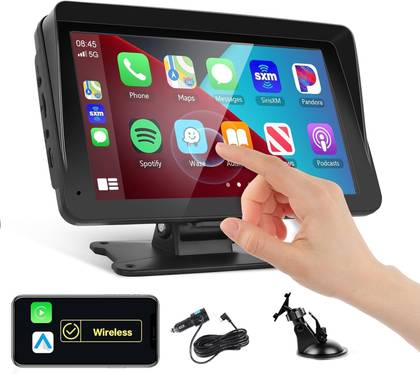
Podofo Portable Android Auto/CarPlay Screen
It’s actually better than some “official” versions
One thing that I find particularly curious about these aftermarket Android Auto screens is the extra features. For example, my portable screen supports wireless Android Auto and CarPlay. But my wife drives a much newer vehicle that has Android Auto and CarPlay built in, and we needed to buy a wireless dongle to do the same thing.
I’m also able to fully mirror my phone’s screen to my display with the “Android Cast” feature. This is something you would never find built into a vehicle. I’ve never used it, but it’s interesting to see. Weirdly, you could end up with a much more feature-packed infotainment device than the one that came with your vehicle.

The 5 most annoying Android Auto problems (and how to fix them)
Android Auto is awesome, but only when it works correctly.








1