Credit: David J. Buck / How-To Geek
Dabbling with different Linux distributions is a fun hobby and something I’ve been doing for a while. Unfortunately, Linux enthusiasts like me have sort of a bad reputation when it comes to being welcoming to the hobby. Whenever someone asks me about trying Linux, I always have one distro in mind I can definitely recommend to beginners and enthusiasts alike.
The distro I usually recommend is easy to install
A bad installation experience can scare off new users
 Credit: David J. Buck / How-To Geek
When I look for a new operating system, I want something streamlined, minimal, un-bloated, and free of frivolous AI or other apps I won’t use. Windows has been particularly bad for bloat issues, especially with their aggressive Copilot integration. Linux is a reprieve from that, which is why I use it every day.
When I recommend Linux to others, I always go for a distro that is easy to use, quick to install, and doesn’t require a lot of manual setup out of the box (or wrestling with the Terminal over driver installation or getting Wi-Fi working). Of course, this typically rules out distros like the amazing Arch and the challenging Gentoo (both of which I have experience with and also like to use; I just don’t recommend them to beginners).
When someone is hesitant to switch from the Windows or macOS that they’ve used their entire lives, being able to throw an installation disc on a USB drive and boot right into it is a truly amazing thing.
The desktop is uncluttered and well-designed
But it offers plenty of customization
-
 Credit: David J. Buck / How-To Geek
 -
 Credit: David J. Buck / How-To Geek
 -
 Credit: David J. Buck / How-To Geek
 -
 Credit: David J. Buck / How-To Geek
 -
 Credit: David J. Buck / How-To Geek


-
 Credit: David J. Buck / How-To Geek
 -
 Credit: David J. Buck / How-To Geek
 -
 Credit: David J. Buck / How-To Geek
 -
 Credit: David J. Buck / How-To Geek
 -
 Credit: David J. Buck / How-To Geek

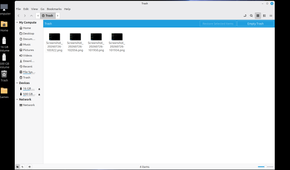

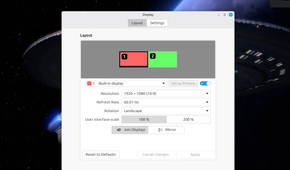
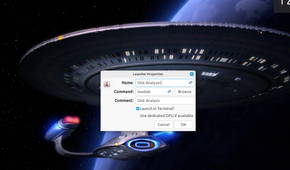
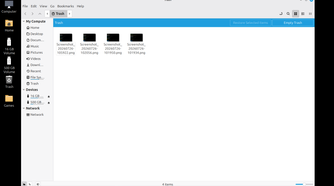
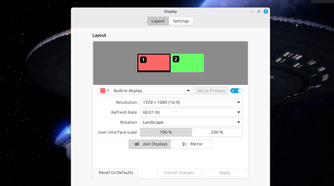
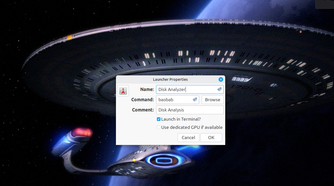
The desktop environment and GUI experience are also important for many newer Linux users, so I like to recommend an OS that makes it easier to transition from the familiarity of Windows. When there are more options for types of desktop, it’s even better for customization and transitioning to a new OS.
If you follow Linux, you’ve probably heard of the GNOME or KDE desktops environments. But there are plenty of others out there.
Another thing I look for in a Linux distro is what kind of package manager it uses and how it feels to work in the terminal. While I believe the desktop environment is important and useful, I’m a firm believer in utilizing the Terminal for streamlining workflow.
I like an environment that allows me to self-host, customize, and build apps/scripts without a lot of friction along the way.
Software bloat isn’t an issue
And software management is simple
 Credit: David J. Buck / How-To Geek
I can’t stand it when I have to rip AI features or bloated software out of an operating system. Microsoft was a pretty bad offender with this in my experience.
While I find it intriguing and occasionally useful to experiment with LLMs, I absolutely do not want them baked into everything I use. This distro has zero AI integration unless you actively choose to install something.
It also uses the APT (short for “Advanced Packaging Tool”) package manager, which is extremely simple for beginners and the commands aren’t difficult to memorize or use. In the desktop environment, there’s a built-in software manager where you can search for available Flatpaks or other software packages. Combined with excellent Flatpak support, managing packages becomes very seamless.
When you just get a little more advanced, it’s simple enough to use tools like curl and git, or just download and install a tar or deb file.
This is the distro I can recommend to anyone
It can be ideal for new and established users
 Credit: David J. Buck / How-To Geek
As you’ve probably already guessed by now, the distro I can, in good conscience, recommend to everyone is Linux Mint. I prefer the Cinnamon desktop myself, but Mint has two other desktop flavors/themes: MATE and Xfce.
A few years ago, I would’ve probably said Ubuntu, (it’s worth noting that Mint is based on Ubuntu LTS releases, and LMDE is its Debian-based edition) but since I started learning development, teaching Linux, and doing more self-hosting, I have found Mint to be an invaluable tool.
While I’m also a big fan of Debian and Arch, Mint is definitely my go-to for a lot of stuff. And when I’m recommending a new OS for folks who are jumping ship from a bad system, I think it’s important for them to have something that will help them learn and grow while also providing an environment for customization.
Mint (especially with the Cinnamon desktop environment) is a fantastic jumping point for learning how to use Linux and to lead to experimenting (or even eventually moving to) other Linux distributions.
Linux Mint is just the beginning
For me, Linux has always been great for hobbies, home lab, work, and education. But getting started and having a solid, accessible entry point can make or break the experience for some people. Mint is a fantastic place to start, and it can lead anyone into the wonderful world of learning and experimenting with Linux.