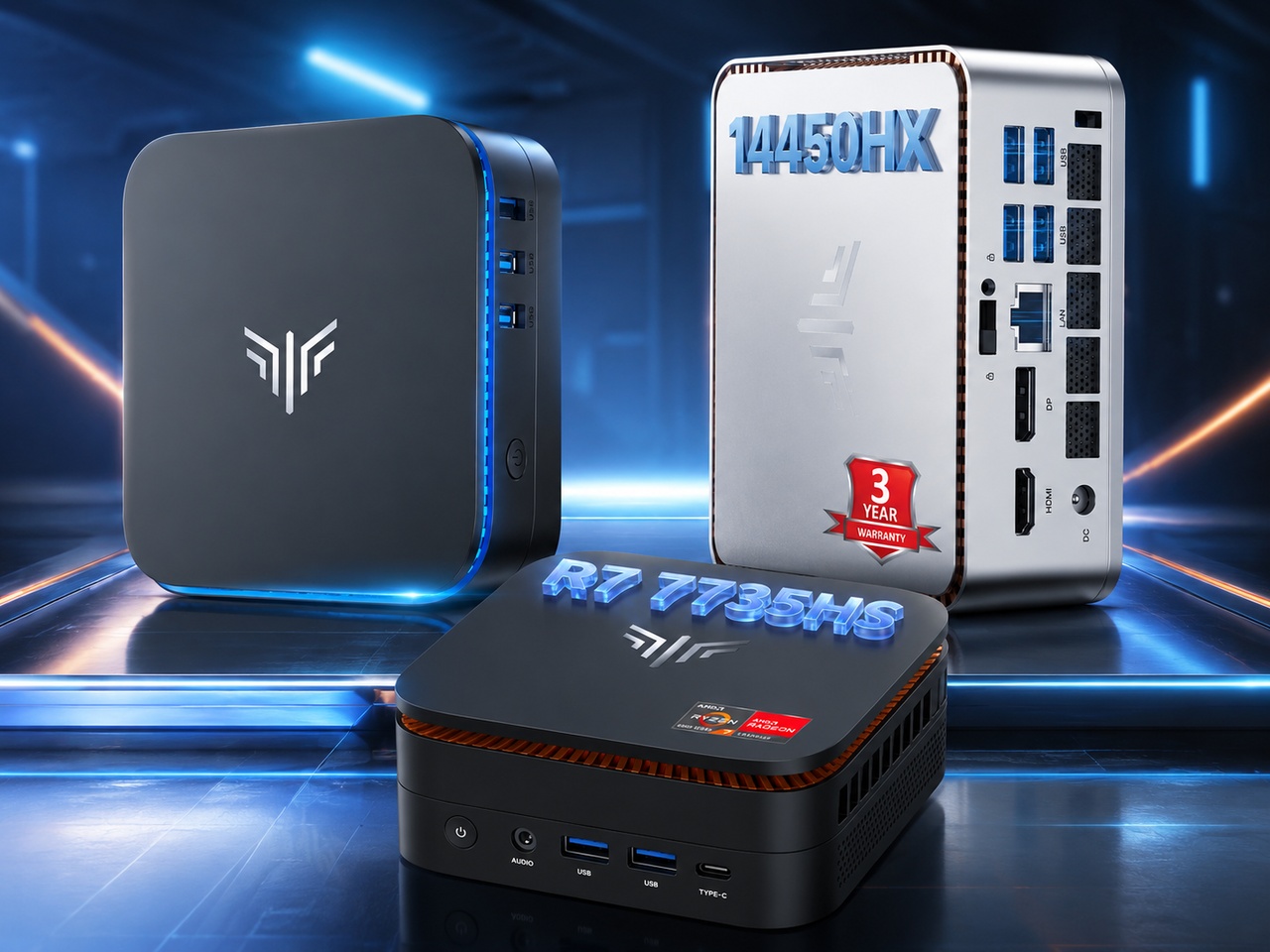
Mini PCs used to mean compromise. You gave up performance for the small footprint, or you paid a premium to avoid the trade-off. KAMRUI has been chipping away at that equation for a few years now, and their 2026 Hyper series shows how far things have come.
The AK1 Plus sits at the most affordable end. The Hyper H1 with Ryzen 7 7735HS covers the middle. The Hyper H2 with Core i5-14450HX reaches higher. Between them, there’s a practical answer for most buyers.
The trick is matching the chip and RAM to the actual job. This guide walks through each model, what it can realistically do, and when it makes sense to spend more.
Quick Picks
Most affordable usable option – AK1 Plus (N5095)
Fine for basic web, office work, streaming, and light server duties. Not for anything demanding. Currently $256.49 (27% off list $349.99 + extra coupons).
Best balanced choice for most people – Hyper H1 Ryzen 7 7735HS 24GB/512GB
The one most readers should look at first. Strong enough for emulation, homelab projects, media centers, and everyday desktop use.
Best if storage matters – Hyper H1 Ryzen 7 7735HS 24GB/1TB
Same performance as the 512GB version but with double the storage out of the box. Worth the extra $50 if you’re moving a lot of files or ROMs.
Best performance pick – Hyper H2 i5-14450HX 32GB/1TB
The strongest of the four. Better for heavier multitasking, development work, or running more demanding homelab services. Expect higher power draw and potentially more heat under load.
Comparison Table
| Model | CPU | RAM / Storage | Best For | Avoid If | Price |
|---|---|---|---|---|---|
| AK1 Plus | Intel Celeron N5095 | 16GB / 256GB | Basic office, web, streaming | Gaming | $256.49 |
| Hyper H1 24/512 | Ryzen 7 7735HS | 24GB / 512GB | Emulation, homelab, media | More than light gaming | $438.99 |
| Hyper H1 24/1TB | Ryzen 7 7735HS | 24GB / 1TB | Bigger libraries, media, ROMs | Budget under $450 | $489.98 |
| Hyper H2 32/1TB | Core i5-14450HX | 32GB / 1TB | Heavy multitasking, dev work | Quiet/cool operation | $539.98 |
The Budget Champ: AK1 Plus
The AK1 Plus gives you a genuinely useful desktop computer for barely more than the cost of a good keyboard. Most budget mini PCs make you feel the corner cutting within the first hour. This one avoids that by putting 16GB of RAM behind a simple Intel Celeron N5095 and calling it a day, which turns out to be exactly the right formula for a basic desktop replacement.
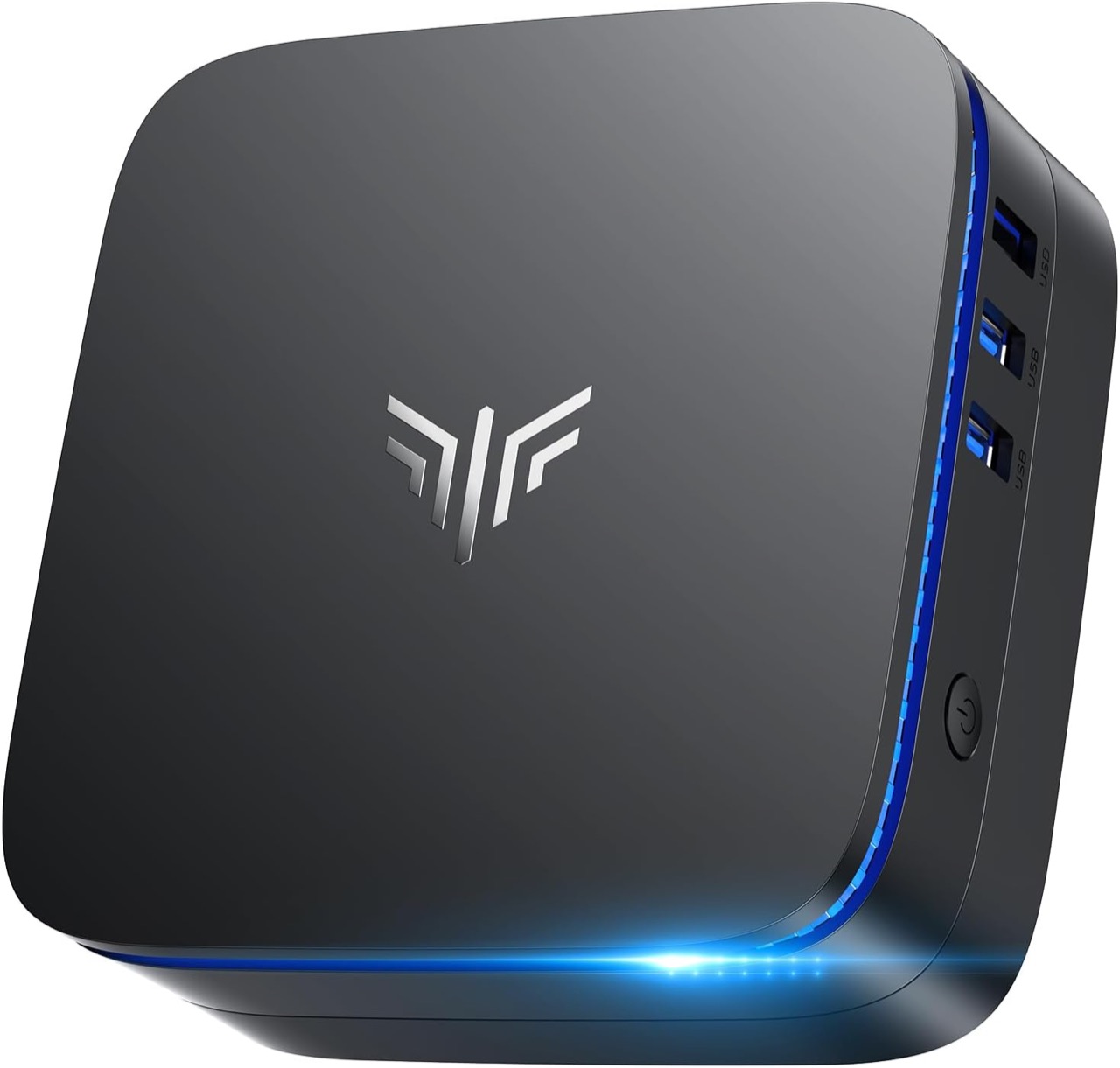
The N5095 won’t win any speed records, but it doesn’t need to. It handles web browsing, Office work, 4K streaming, and light file serving without hesitation. The real win is the price, especially with the current deal and promo code. At $256.49 with an extra 10% off using code Q2Q4WL49 (through July 31), you’re looking at roughly $230 for a machine that genuinely covers basic computing for years.
Where it shines: Home office email and documents, family web browsing, a dedicated Plex or Jellyfin client, digital signage, a battery-backup server for your homelab edge, or just keeping a second machine around for guests and kids.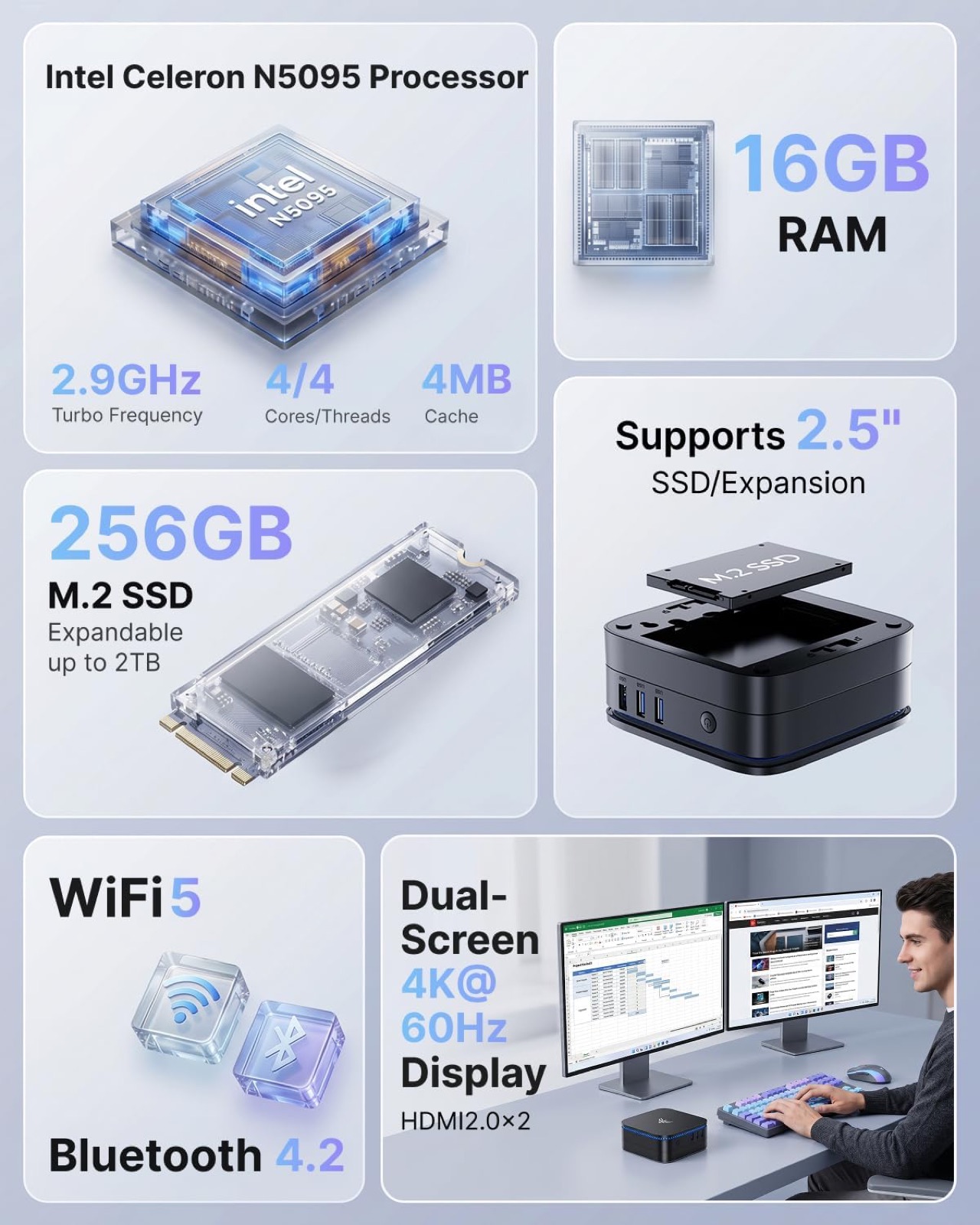
The tradeoff you need to know: The LPDDR4X RAM is soldered and the processor is entry-level. It’s not built for emulation beyond lightweight retro stuff, it can’t multitask the way the Hyper models can, and the WiFi 5 limits network speeds on wireless. Gaming is limited to extremely basic titles. But for the price and its intended use, these are fair compromises.
AK1 Plus | Buy on
Current price: $256.49 (list $349.99, 34% off full discount)
Price with code: $230.84 (use code Q2Q4WL49 for ~10% off, ends 2026-07-31 23:59 PDT)
‘s Choice | 4.4 stars | 2,329 ratings | #2 in Mini Computers
Buy on Amazon
The Smart Starter: Hyper H1 24GB/512GB
The Hyper H1 does almost everything well without asking you to spend a fortune. The Ryzen 7 7735HS delivers 8 cores and 16 threads on a power-efficient 6nm process, which means it handles emulation, home server workloads, media transcoding, and everyday multitasking with room to spare.
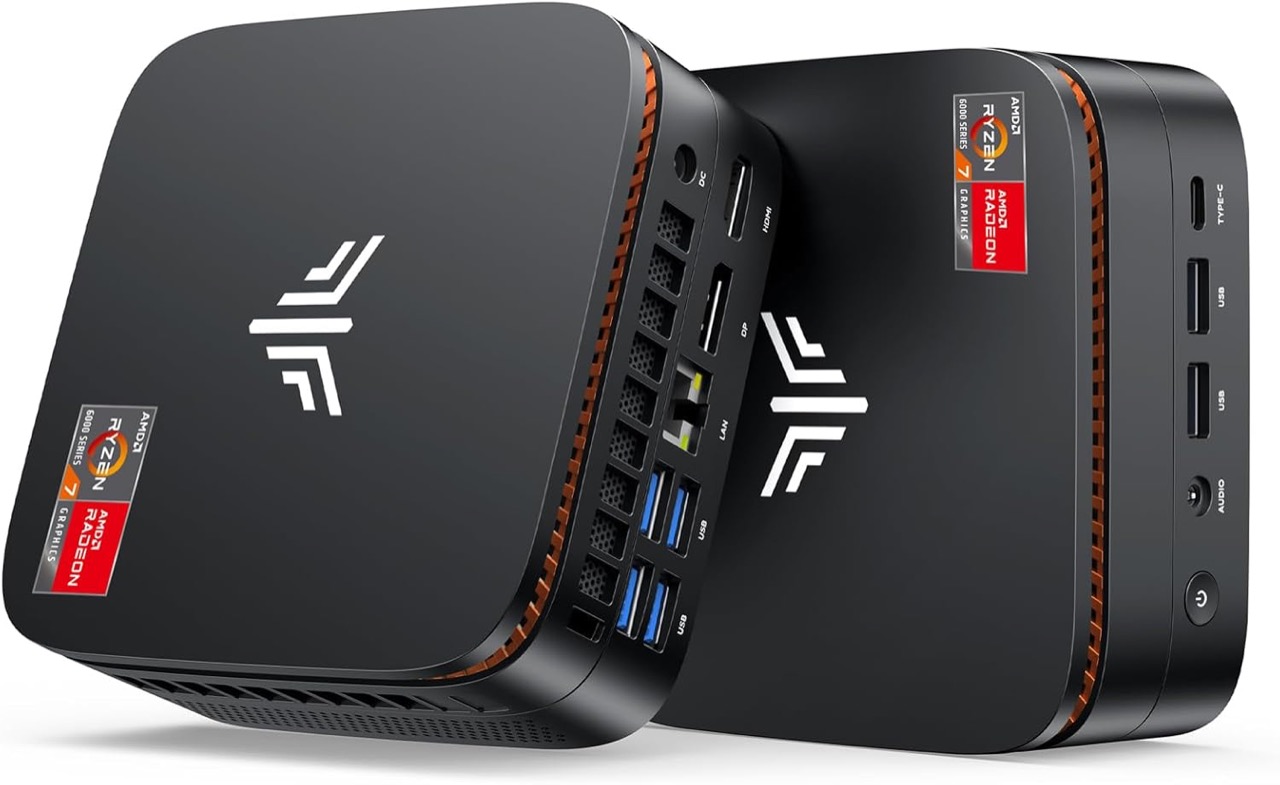
What sets this apart from most mini PCs at this price is the 24GB of LPDDR5 RAM. That extra memory over the typical 16GB makes a real difference when you’re running Docker containers, keeping a dozen browser tabs open, streaming media, and running background services all at once. The Radeon 680M integrated graphics are the best in this lineup, capable of handling PS2 and GameCube emulation comfortably and even some lighter PC gaming at 720p.
Where it shines: Emulation up to PS2 and GameCube, homelab servers running Docker, Plex or Jellyfin with hardware transcoding, a daily driver for productivity work, and a living room media center that handles everything you throw at it. The triple 4K display support and 2.5Gb Ethernet give it room to grow into more demanding roles.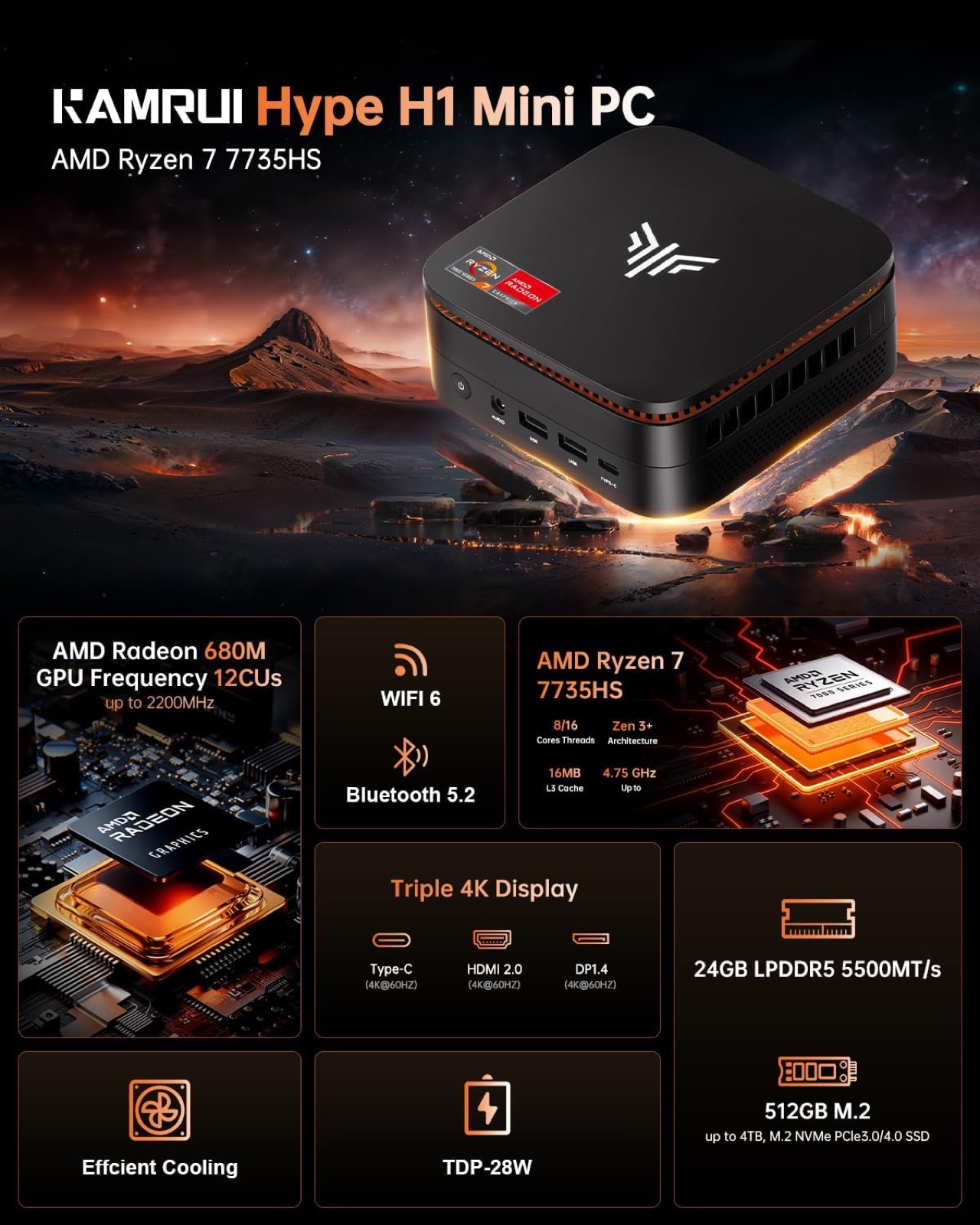
The tradeoff you need to know: The LPDDR5 RAM is soldered, so what you buy is what you keep. The 512GB SSD fills quickly if you’re storing large game ROMs or media libraries. Gaming performance is limited to older titles and indie games at lower settings. The fans are audible under sustained load.
Hyper H1 24GB/512GB | Buy on Amazon
Current price: $438.99 (list $549, 20% off)
Specs: Ryzen 7 7735HS, 24GB LPDDR5, 512GB NVMe, triple 4K, WiFi 6, BT 5.2, 2.5Gb LAN, dual-fan cooling
Rating: 4.4 stars | 152 ratings | #51 in Mini Computers
Buy on Amazon
The Storage Advantage: Hyper H1 24GB/1TB
Everything the 512GB version does well, this one does with more room to work. The same Ryzen 7 7735HS processor, the same 24GB of LPDDR5 RAM, the same Radeon 680M graphics. The difference is a 1TB NVMe SSD that means you don’t have to think about storage from day one.
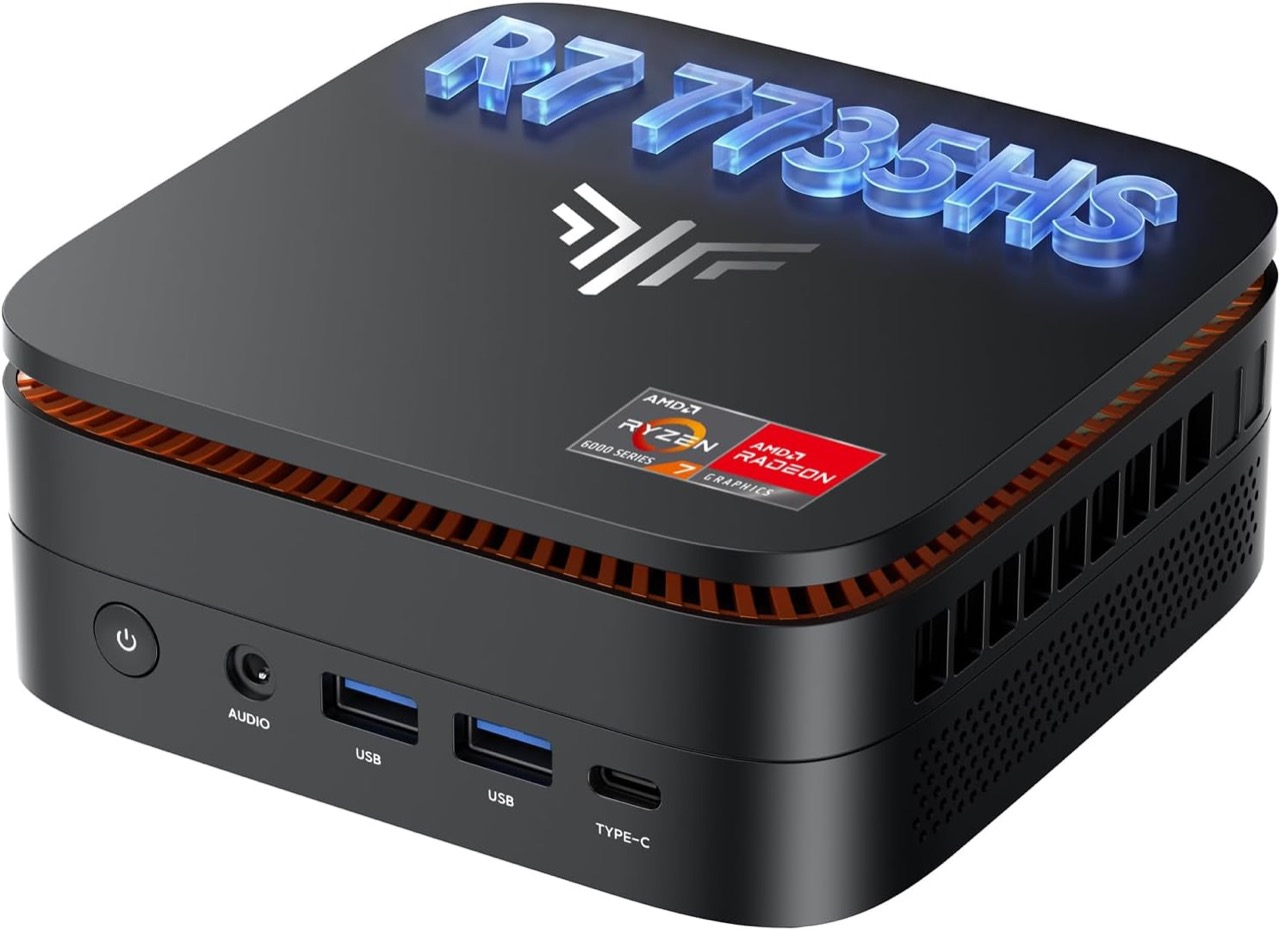
This is the version to buy if you’re building a media server, maintaining a large ROM library for emulation, or running projects that accumulate files quickly. The $50 premium over the 512GB model is one of the easiest upgrade decisions in this lineup.
Where it shines: Same use cases as the 512GB version, but with enough storage for a substantial game ROM collection, a multi-terabyte Plex library, or multiple VM images without needing an external drive. The spare M.2 slot still lets you add another drive later.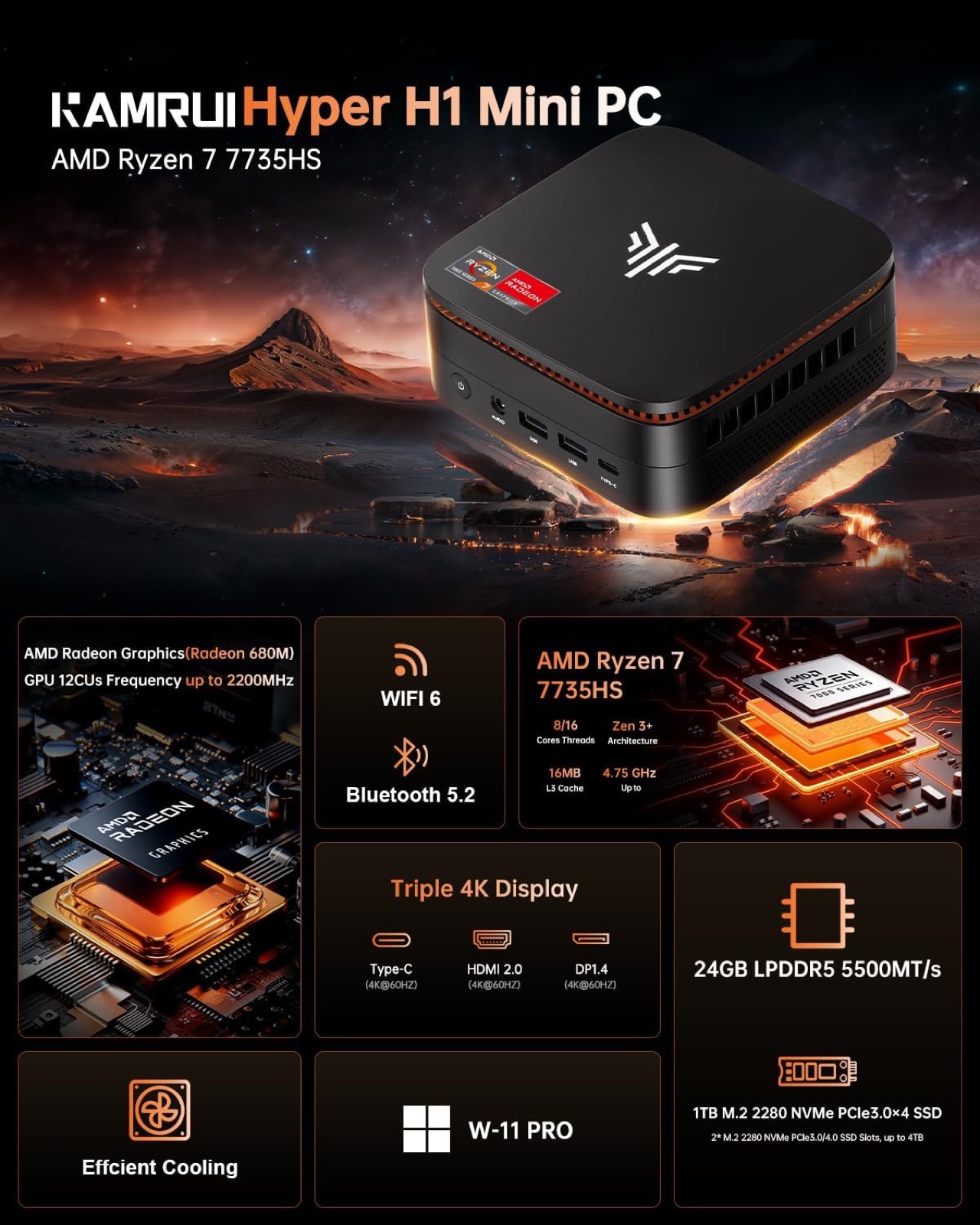
The tradeoff you need to know: Same limitations as the 512GB version – soldered RAM, no serious gaming, fans under load. The 1TB doesn’t change those. It just means you hit the storage wall later rather than sooner.
Hyper H1 24GB/1TB | Buy on Amazon
Current price: $489.98 (list $579.99, 16% off)
Specs: Ryzen 7 7735HS, 24GB LPDDR5, 1TB NVMe, triple 4K, WiFi 6, BT 5.2, 2.5Gb LAN, dual-fan cooling
Rating: 4.4 stars | 461 ratings | #54 in Mini Computers
Buy on Amazon
The Power Player: Hyper H2 i5-14450HX
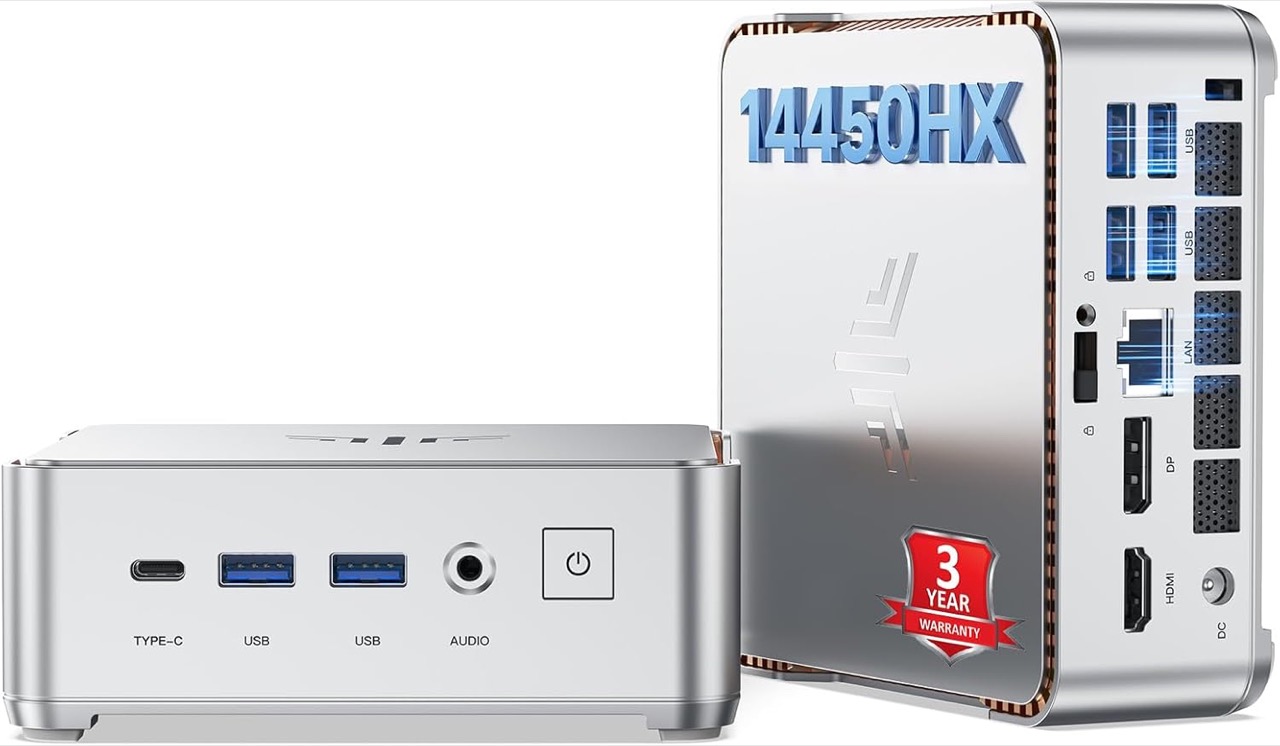
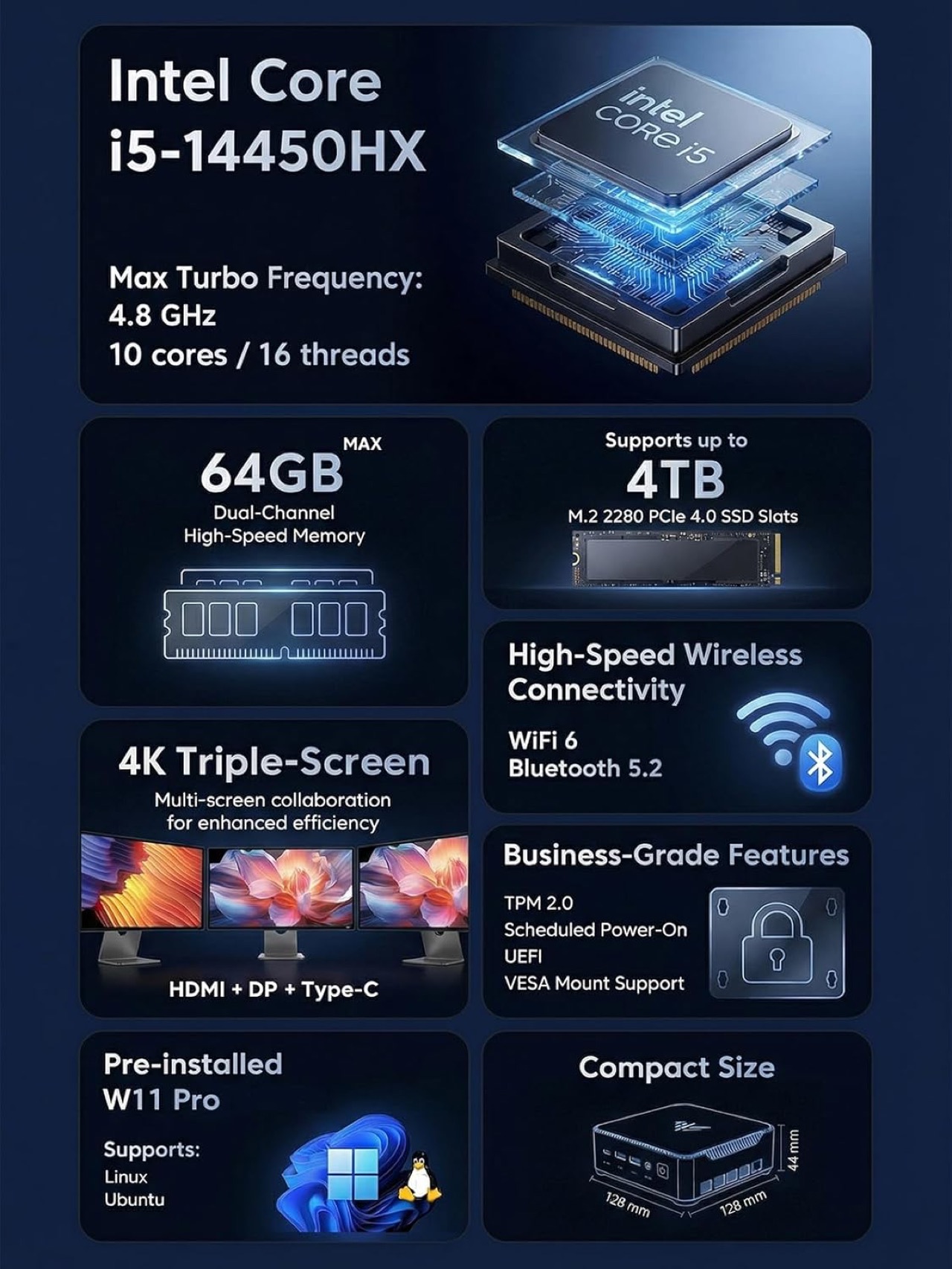
The Hyper H2 brings genuine workstation-class processing power to a chassis barely larger than a couple of stacked hard drives. The Core i5-14450HX packs 10 cores and 16 threads into a 55-watt envelope, delivering the kind of sustained multi-core performance you normally associate with a full-size desktop tower.
With 32GB of DDR4 RAM and a 1TB PCIe 4.0 SSD, this machine handles the workloads that make smaller mini PCs buckle: compiling code, running multiple virtual machines, spinning up Kubernetes nodes, editing video timelines, or hosting a media server with multiple simultaneous transcodes. The DDR4 RAM is socketed, so you can upgrade to 64GB later if your needs grow.
Where it shines: Software development, homelab virtualization, running multiple Docker stacks, heavy multitasking across several 4K monitors, and any workflow that benefits from having 32GB of headroom. The triple 4K display support, 6 USB 3.2 ports, and WiFi 6 make it a genuine desktop replacement that stays out of sight behind a monitor.
The tradeoff you need to know: This machine runs hotter and louder than the Hyper H1 when you push it. The Intel UHD integrated graphics are weaker than the Radeon 680M in the H1, so gaming and GPU-accelerated tasks aren’t its forte. Power draw peaks at 55 watts under full load. If your work involves more CPU than GPU, these tradeoffs are easy to accept.
Hyper H2 32GB/1TB | Buy on Amazon
Best value: $539.98 (list $699.99, 23% off)
Specs: Intel Core i5-14450HX (10C/16T, 4.8GHz), 32GB DDR4 (upgradable to 64GB), 1TB PCIe 4.0 SSD, triple 4K, WiFi 6, BT 5.2, 6x USB 3.2, 55W TDP
Rating: 4.3 stars | 104 ratings | #57 in Mini Computers
Buy on Amazon
Amazon’s Choice: $599
Which One Should You Buy?
Buy the AK1 Plus if: Your needs are genuinely basic (web, Office, streaming, light file serving). You want the lowest possible price and the AK1 is currently $256.49 with a coupon and promo code available. You don’t plan to run emulators, virtual machines, or heavy multitasking.
Buy the Hyper H1 24/512GB if: You want the best price-to-performance ratio. You do light-to-moderate emulation, homelab work, or media serving. You’re okay managing storage yourself.
Buy the Hyper H1 24/1TB if: You want the same performance as above but with more storage out of the box. You’re moving ROM libraries, media files, or running projects that need space immediately. You’d rather not upgrade storage right away.
Buy the Hyper H2 32/1TB if: You need stronger CPU performance and 32GB of RAM. You’re doing heavier multitasking, development work, or running more demanding services. You’re willing to accept higher power draw and potentially more heat.
Skip all of them if: You need strong dedicated GPU performance for gaming. You want a completely silent system under load. You expect Mac Mini-level efficiency and thermals.
What to Check Before Buying an Amazon Mini PC
Seller reputation. Most KAMRUI listings ship from Amazon or KAMRUI directly. Check whether the seller is KAMRUI themselves or a third-party reseller. Official store listings tend to have better return support.
RAM and storage configuration. These models ship with 16GB, 24GB, or 32GB of RAM and between 256GB and 1TB of storage. Check the listing description carefully. Some configs look similar but have less storage or slower RAM.
Active coupons. Amazon listings often have checkout discounts (typically 5-7%) or exclusive Prime pricing. Check the listing for any coupon box or Prime badge before checking out.
Return window. Amazon returns on electronics are generally 30 days. Third-party sellers may have different policies. Check before buying.
Ports matter. The H1 and H2 both support triple 4K displays. The AK1 Plus supports dual displays. If you need three monitors, the AK1 Plus won’t work.
Upgradeability. The Hyper H2 uses DDR4 which can be upgraded to 64GB. The Hyper H1 uses LPDDR5 which is soldered and can’t be upgraded. The AK1 Plus uses soldered LPDDR4X. Consider this when choosing.
OS license. All models ship with Windows 11 Pro pre-installed. No additional OS cost.
Thermals and noise. Mini PCs of this class aren’t silent. They have active cooling fans that ramp up under load. The Hyper H1 and H2 have dual-fan cooling systems. Plan your desk placement accordingly.
Final TG Take
The KAMRUI Hyper series does something most mini PC makers get wrong. It matches the right processor with enough RAM to actually use it. The Hyper H1 with 24GB and a Ryzen 7 7735HS is the most sensible purchase for most people. It handles emulation, homelab projects, media centers, and everyday computing without leaving you wishing you had spent more.
The AK1 Plus is only worth it if the budget is really tight, but at $256.49 with the current discount and coupon, it’s hard to beat for basic use.
The Hyper H2 is for buyers who specifically need the extra CPU performance and 32GB of RAM for multitasking, development, or virtualization. Just be aware that the integrated graphics are weaker than the H1’s Radeon 680M.
None of these are gaming machines. None of them replace a proper desktop with a dedicated GPU. But for the use cases they’re built for – compact, capable, affordable computing – they get the job done without pretending to be something they’re not.
Quick Pick Summary
- Need the cheapest usable mini PC? -> AK1 Plus ($256.49, regularly $349.99)
- Want the best balance of performance and price? -> Hyper H1 24/512GB ($438.99)
- Need more storage out of the box? -> Hyper H1 24/1TB ($489.98)
- Want the strongest CPU and 32GB RAM? -> Hyper H2 32/1TB (from $539.98)
Prices and any active promotions checked at time of writing and can change quickly on Amazon. Always check the listing for current pricing and any available coupons before buying.
Sign up for our newsletter today.
No ads, no spam, just links to our latest articles!